
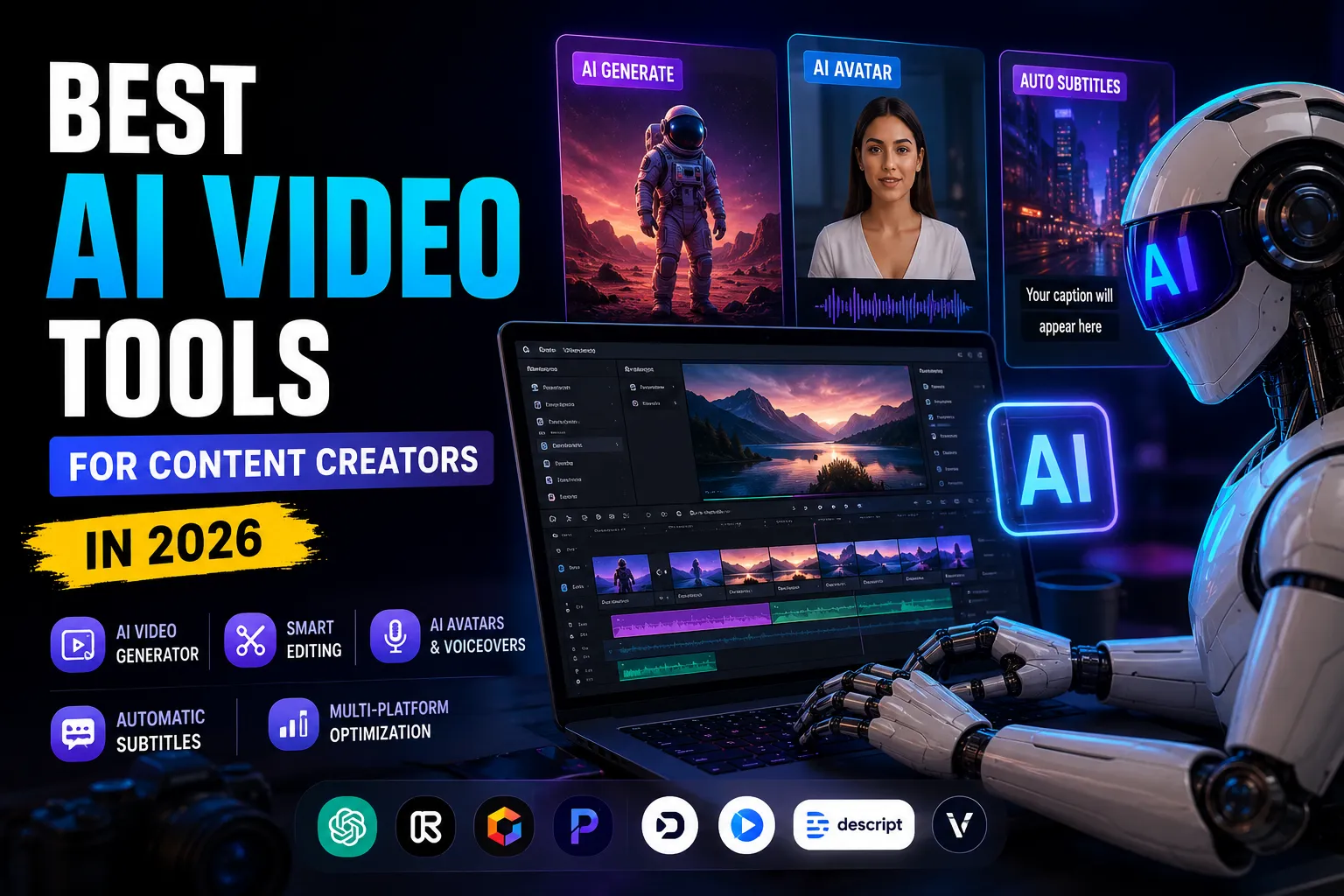
Best AI Video Tools for Content Creators in 2026
Artificial intelligence has completely transformed modern video production. What once required expensive cameras, large production teams, advanced editing software, and countless hours of work can now be achieved much faster with powerful AI Video Tools. Content creators in 2026 are no longer relying only on traditional editing workflows. Instead, they are using automation, AI video generation, smart editing systems, voice synthesis, and cinematic rendering technologies to create professional-quality content faster than ever before.
Whether you are a YouTuber, TikTok creator, filmmaker, educator, business owner, podcaster, marketer, streamer, or social media manager, AI Video Tools can significantly improve productivity, reduce editing time, scale content production, and increase overall video quality. Modern AI platforms are capable of generating complete videos from prompts, editing footage automatically, translating videos into multiple languages, creating realistic avatars, generating captions, removing backgrounds, improving audio quality, and even producing cinematic scenes that never existed in real life.
The rapid growth of short-form video platforms like TikTok, YouTube Shorts, and Instagram Reels has dramatically increased the demand for fast and scalable video production. At the same time, long-form creators need advanced AI Video Editing tools to manage podcasts, interviews, tutorials, educational videos, and cinematic storytelling content more efficiently.
AI Video Tools are no longer experimental technologies. Many creators, agencies, and businesses now rely on AI Video Generators and AI Video Editing platforms daily for professional workflows. Some tools focus on realistic AI-generated video creation, while others specialize in automation, subtitles, repurposing, social media optimization, voice cloning, or AI avatars. Choosing the best AI Video Tools depends entirely on the type of content you create and the workflow you need.
This guide explores the Best AI Video Tools for Content Creators in 2026, covering real features, real creator workflows, advantages, disadvantages, pricing structures, and practical use cases. The goal is to help creators understand which AI Video Tools truly improve production quality, workflow efficiency, and video content creation instead of simply following trends.
Table of Contents
Why AI Video Tools Matter for Modern Content Creators
Video production has become one of the most competitive industries online. Millions of creators publish videos daily across social platforms, streaming platforms, and business channels. To remain competitive, creators must publish content consistently while maintaining strong quality standards.
Traditional video production presents several challenges:
- Recording footage
- Writing scripts
- Editing timelines
- Adding effects
- Creating subtitles
- Improving audio
- Exporting in different formats
- Repurposing content for multiple platforms
These tasks consume enormous amounts of time, especially for solo creators or small teams.
AI tools solve many of these issues by automating repetitive tasks and improving production speed. Instead of manually cutting clips or designing subtitles frame by frame, creators can now rely on AI-powered automation.
The biggest advantages of AI video tools include:
- Faster editing workflows
- Automated content generation
- Lower production costs
- Better scalability
- Easier multilingual localization
- Improved accessibility with captions
- Faster repurposing for social media
- Enhanced visual effects
- Simplified cinematic production
The most successful creators in 2026 are not necessarily the ones with the biggest production teams. They are often creators who understand how to combine creativity with AI-powered productivity tools.
Google Veo
The Most Advanced AI Video Generator for Realistic Cinematic Content
Google entered the AI video market aggressively with Google Veo, one of the most powerful and realistic AI video generation systems currently available. Veo focuses heavily on cinematic realism, prompt accuracy, environmental lighting, realistic physics, and synchronized audio generation.
Unlike many early AI video tools that generated inconsistent or unrealistic clips, Veo produces highly polished results that often resemble professionally filmed footage. The system can generate realistic scenes from:
- Text prompts
- Images
- Storyboards
- Scene references
One of Veo’s strongest capabilities is prompt adherence. Creators can provide detailed cinematic instructions, camera movements, lighting conditions, and character actions, and the model follows them surprisingly well.
Another major advantage is synchronized audio generation. Veo can generate environmental sounds, dialogue, ambient effects, and cinematic audio elements directly within the video creation process, reducing the need for additional sound design work.
Creators using Veo can generate:
- Cinematic advertisements
- AI short films
- Realistic B-roll
- Product showcases
- Creative storytelling sequences
- Experimental visual content
The platform is especially valuable for creators who want high production quality without massive filming budgets.
Key Features
- High-resolution AI video generation
- Cinematic camera movement simulation
- Realistic environmental lighting
- Native audio generation
- Image-to-video workflows
- Strong prompt understanding
- Consistent visual quality
Best Use Cases
- Cinematic YouTube videos
- Creative storytelling
- AI commercials
- Film concept creation
- High-end marketing content
- Experimental filmmaking
Pros
- Extremely realistic visuals
- Excellent cinematic quality
- Native synchronized audio
- Strong prompt accuracy
- Consistent results
Cons
- Expensive advanced plans
- Requires experimentation for complex scenes
- Heavy computational requirements
Pricing
Google Veo offers limited free credits with higher-tier paid plans for creators who need watermark-free exports and increased generation limits.
Runway
The Best AI Tool for Professional Filmmaking and Creative Editing
Runway has become one of the most respected names in AI-powered filmmaking. It combines generative AI video creation with advanced editing tools designed specifically for creators, filmmakers, and visual artists.
Runway is widely known for its cinematic capabilities and creative flexibility. The platform allows users to:
- Generate scenes from prompts
- Edit footage using text instructions
- Replace backgrounds
- Remove objects
- Transform styles
- Generate motion effects
- Simulate camera movement
Its AI editing system significantly reduces post-production work. Instead of manually masking objects or rotoscoping scenes frame by frame, creators can describe changes using simple prompts.
For example:
- “Replace the sky with sunset clouds”
- “Turn this city into cyberpunk style”
- “Add cinematic rain”
- “Change daytime to nighttime”
Runway processes these instructions automatically.
The platform is particularly popular among:
- YouTube filmmakers
- Music video creators
- Commercial directors
- Motion designers
- Experimental artists
Key Features
- Text-to-video generation
- AI editing tools
- Background replacement
- Object manipulation
- Motion effects
- Cinematic rendering
- Multi-model AI workflows
Best Use Cases
- Creative filmmaking
- Music videos
- VFX-heavy content
- Commercial production
- Experimental visual storytelling
Pros
- Professional-grade outputs
- Advanced editing flexibility
- Excellent cinematic quality
- Powerful AI tools
Cons
- Learning curve for beginners
- Credit usage can become expensive
- Requires experimentation for best results
Pricing
Runway includes a free plan with limited credits and paid plans starting around $15/month.
OpenAI Sora
The Best AI Tool for Narrative Storytelling
OpenAI introduced Sora as one of the most advanced narrative-focused AI video generators in the industry.
Sora focuses heavily on:
- Story coherence
- Character continuity
- Scene transitions
- Cinematic sequencing
- Long-form generation
Many AI generators produce disconnected clips with inconsistent visuals. Sora attempts to create coherent stories with multiple shots that feel connected.
This makes it especially useful for:
- Short films
- Story-driven content
- Cinematic YouTube videos
- AI-generated narratives
Creators can describe scenes naturally instead of focusing only on technical prompts. Sora handles much of the cinematic composition automatically.
Key Features
- Multi-scene generation
- Story continuity
- Character consistency
- AI-generated soundtracks
- Cinematic composition
- Long-form outputs
Best Use Cases
- AI storytelling
- Short films
- Narrative YouTube videos
- Experimental filmmaking
Pros
- Excellent storytelling capabilities
- Strong scene continuity
- Beautiful cinematic outputs
Cons
- Availability limitations
- Expensive higher plans
- Less controllable than some competitors
Pricing
Higher subscription tiers unlock longer video durations and watermark-free exports.
Synthesia
The Best AI Avatar Platform for Business and Educational Content
Synthesia specializes in AI-generated talking-head videos using realistic avatars.
Instead of filming presenters manually, creators can:
- Write a script
- Select an avatar
- Choose a language and voice
- Generate a complete video
Synthesia is extremely popular for:
- Corporate training
- Educational content
- Product explainers
- Business onboarding
- Internal company videos
- Faceless content channels
The platform supports multiple languages and offers highly realistic lip synchronization.
Key Features
- AI avatars
- Script-to-video workflows
- Multilingual support
- AI voiceovers
- Custom avatar options
- Professional templates
Best Use Cases
- Training videos
- Corporate content
- Educational channels
- Product tutorials
- Business presentations
Pros
- Very beginner friendly
- Fast production workflows
- Excellent language support
- Realistic avatar quality
Cons
- Avatars still slightly artificial
- Limited emotional flexibility
- Premium plans can become expensive
Pricing
Paid plans start around $29/month depending on video limits and avatar features.
HeyGen
The Best AI Platform for Localization and Voice Cloning
HeyGen focuses heavily on multilingual AI avatars, voice cloning, and localization workflows.
One of HeyGen’s most impressive capabilities is translating existing videos into multiple languages while adjusting lip movements automatically to match the translated speech.
This makes HeyGen extremely valuable for:
- International creators
- Businesses with global audiences
- Educational channels
- Marketing teams
Key Features
- AI avatars
- Voice cloning
- Video translation
- Automatic lip synchronization
- Real-time interactive avatars
Best Use Cases
- Multilingual marketing
- International education
- Global content scaling
- AI spokesperson videos
Pros
- Excellent translation quality
- Strong lip-syncing
- Realistic voice generation
Cons
- Premium plans are expensive
- Some avatars still feel robotic
Pricing
Pricing depends heavily on generation limits and business-level features.
Descript
The Best AI Editor for Podcasts and Talking Videos
Descript completely changed video editing workflows by introducing transcript-based editing.
Instead of trimming timelines manually, creators edit text transcripts directly. The video automatically updates based on transcript changes.
This workflow is incredibly valuable for:
- Podcasts
- Interviews
- Tutorials
- Educational videos
- Talking-head YouTube content
Key Features
- Transcript editing
- AI filler word removal
- Automatic transcription
- AI voice cloning
- Studio sound enhancement
- Screen recording
Best Use Cases
- Podcast editing
- Interview editing
- Educational content
- Long-form talking videos
Pros
- Massive time savings
- Beginner friendly
- Excellent transcription accuracy
Cons
- Less suitable for cinematic editing
- Can lag on very large projects
Pricing
Plans start around $24/month depending on transcription and export limits.
OpusClip
The Best AI Tool for Short-Form Viral Clips
OpusClip focuses entirely on transforming long-form videos into short-form viral clips.
Creators can upload:
- Podcasts
- Interviews
- Webinars
- Long YouTube videos
The AI automatically:
- Detects engaging moments
- Creates vertical clips
- Adds animated captions
- Tracks speakers
- Optimizes framing
Key Features
- Viral moment detection
- Auto clipping
- Vertical formatting
- Animated captions
- Virality scoring
Best Use Cases
- TikTok clips
- YouTube Shorts
- Instagram Reels
- Podcast snippets
Pros
- Huge time saver
- Excellent for scaling content
- Great automated captions
Cons
- AI sometimes selects weak segments
- Limited advanced editing flexibility
Pricing
Paid plans start around $15/month.
VEED
The Best Browser-Based AI Video Editor
VEED is designed for fast, browser-based editing workflows focused on social media content creation.
Key Features
- AI subtitles
- Browser editing
- AI voiceovers
- Social templates
- Team collaboration
- Quick exports
Best Use Cases
- Daily social media videos
- Marketing content
- Online editing workflows
- Fast publishing schedules
Pros
- Extremely easy to use
- Cloud-based workflow
- Fast subtitle generation
Cons
- Limited advanced editing
- Browser performance depends on device
Pricing
Paid plans start around $24/month.
InVideo AI
The Best Prompt-to-Video Platform for Beginners
InVideo makes video creation extremely accessible for beginners and social media creators.
Users simply provide a prompt, and the platform automatically:
- Writes scripts
- Chooses stock footage
- Adds transitions
- Generates voiceovers
- Creates captions
- Produces a full video
Key Features
- Prompt-to-video workflows
- AI voiceovers
- Script generation
- Automated stock footage selection
- Caption generation
Best Use Cases
- Faceless YouTube channels
- TikTok videos
- Marketing videos
- Quick explainer videos
Pros
- Extremely beginner friendly
- Fast production
- Minimal editing knowledge required
Cons
- Generic stock footage sometimes appears repetitive
- Less creative control than professional tools
Pricing
Paid plans start around $35/month.
Pictory
The Best AI Tool for Turning Articles Into Videos
Pictory specializes in converting written content into videos automatically.
Creators can transform:
- Blog posts
- Articles
- Scripts
- URLs
- Presentations
into narrated videos with visuals and captions.
Key Features
- Blog-to-video conversion
- URL-to-video workflows
- AI narration
- Caption generation
- Social video formatting
Best Use Cases
- Affiliate marketing
- Blog repurposing
- Educational content
- SEO content expansion
Pros
- Excellent for repurposing written content
- Fast workflow
- Easy to use
Cons
- Less cinematic quality
- Template-heavy appearance
Pricing
Starts around $23/month depending on generation limits.
Wondershare Filmora
The Best Traditional Video Editor With AI Enhancements
Wondershare developed Filmora as a beginner-friendly editor enhanced with AI productivity features.
AI Features
- AI subtitles
- AI silence detection
- AI audio cleanup
- AI motion tracking
- AI background removal
- AI object cutout
Best Use Cases
- YouTube editing
- Social media content
- Beginner editing workflows
Pros
- Easy learning curve
- Strong AI productivity tools
- Familiar editing layout
Cons
- Less powerful than professional editors
- Performance can drop on older systems
Pricing
Plans start around $50/year.
Canva Magic Studio
The Best AI Tool for Quick Social Video Design
Canva expanded heavily into AI-powered video and graphic creation.
Key Features
- AI video editing
- Social templates
- AI graphics
- Video resizing
- Drag-and-drop workflows
Best Use Cases
- Instagram Reels
- Brand videos
- Quick promotional content
- Small business marketing
Pros
- Extremely simple interface
- Excellent template library
- Great for non-designers
Cons
- Limited cinematic editing
- Less customization for advanced creators
How to Choose the Right AI Video Tool
Different creators require different workflows.
Best for YouTube Creators
- Runway
- Descript
- Filmora
- OpusClip
Best for TikTok and Reels
- CapCut
- OpusClip
- InVideo AI
- VEED
Best for Businesses
- Synthesia
- HeyGen
- Canva
- Pictory
Best for Cinematic Filmmaking
- Google Veo
- Runway
- Sora
Best for Faceless Channels
- InVideo AI
- Synthesia
- Pictory
- HeyGen
AI Video Trends in 2026
The AI video industry continues evolving rapidly.
Major trends include:
- Native AI audio generation
- Realistic avatars
- Prompt-based editing
- Automated short-form clipping
- AI cinematic rendering
- Real-time translation
- Voice cloning
- Automated social repurposing
Modern AI systems are becoming increasingly capable of replacing repetitive editing tasks while helping creators produce more engaging content.
Final Thoughts
AI video tools have permanently changed content creation. What once required large budgets and professional production teams can now be accomplished by individual creators using powerful AI platforms.
The best AI video tool depends entirely on your workflow:
- Google Veo for cinematic realism
- Runway for creative filmmaking
- Sora for storytelling
- Synthesia for avatars
- Descript for podcast editing
- OpusClip for short-form repurposing
- InVideo AI for beginner automation
- Pictory for content repurposing
Creators who combine strong storytelling skills with AI-powered workflows will have a massive advantage moving forward. AI is not replacing creativity. Instead, it is allowing creators to produce higher-quality content faster, more efficiently, and at greater scale than ever before.