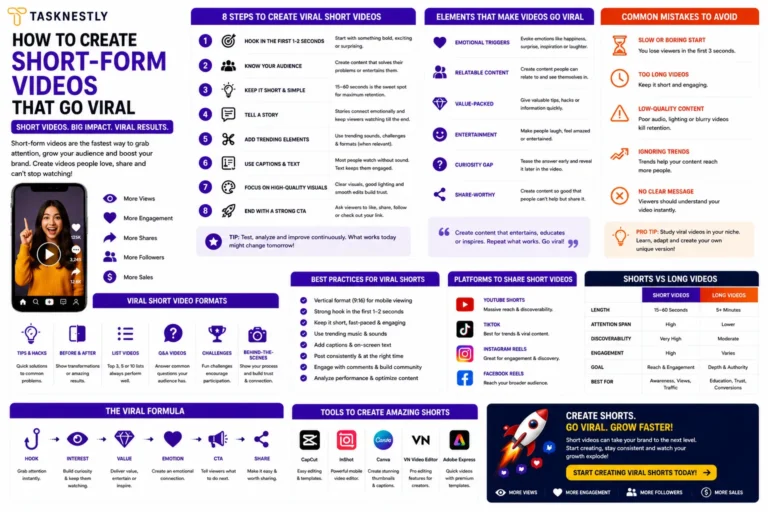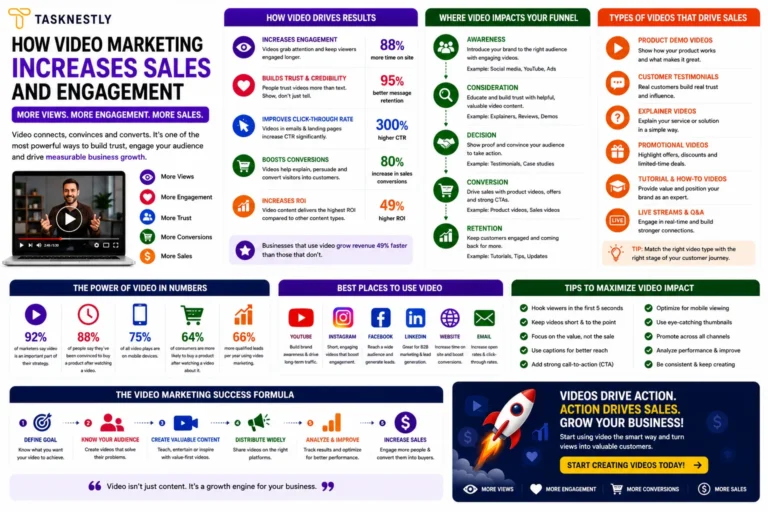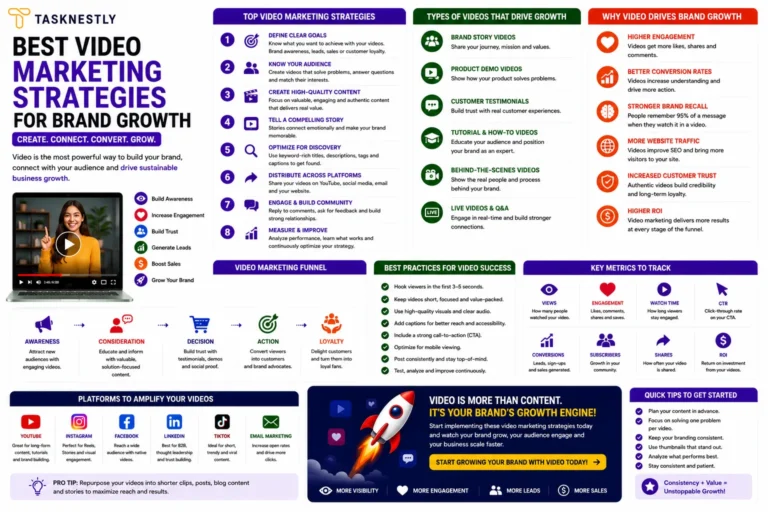

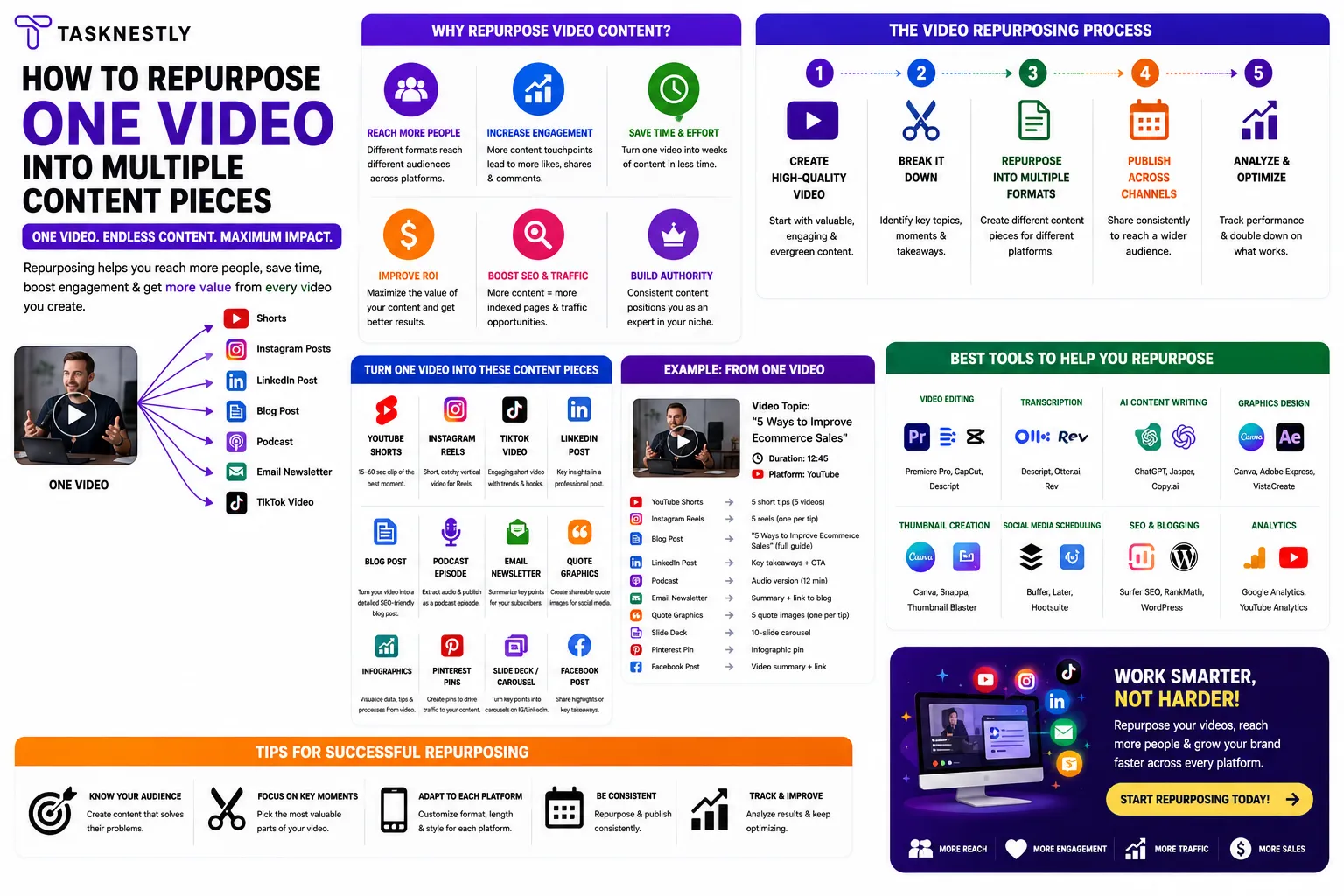
When you repurpose video content, you transform a single production investment into a multi-platform content ecosystem that reaches audiences across search engines, social networks, email inboxes, and podcast platforms simultaneously. A 30-minute YouTube tutorial is not just a video — it is a blog post, a podcast episode, five short-form clips, a LinkedIn carousel, ten social media quote graphics, an email newsletter, and a mini email course, all waiting to be extracted. Most businesses use 10 percent of the content value locked inside their videos. The smartest ones use all of it.
The economics of decisions to repurpose video content are compelling. Producing a single high-quality video requires significant time and effort: scripting, filming, editing, and publishing. Repurposing that same video into ten additional content formats requires a fraction of that effort — yet multiplies your total content output by an order of magnitude. This means more touchpoints with your target audience, stronger presence across more platforms, better SEO through more indexed content, and a consistent brand voice that reaches people wherever they spend their time online.
This guide covers the 10 most effective ways to repurpose video content in 2026, with specific platform guidance, production tips, and the tools that make each format fast and scalable. Whether your primary video content lives on YouTube, Instagram, LinkedIn, or TikTok, these repurposing strategies will dramatically extend the reach and lifespan of every video you produce.
| Need Professional Video Content That Works Across Every Platform?Tasknestly’s viral video services create scroll-stopping video content optimised for maximum reach, repurposing potential, and conversion across all major platforms.Get your FREE Video Content Quote → |
Ready To Actually Go Viral?
Strategy gets you started — execution gets you views. Tasknestly’s viral video service handles the full production and distribution.
Get Viral Video Services →Table of Contents
Why You Must Repurpose Video Content in 2026
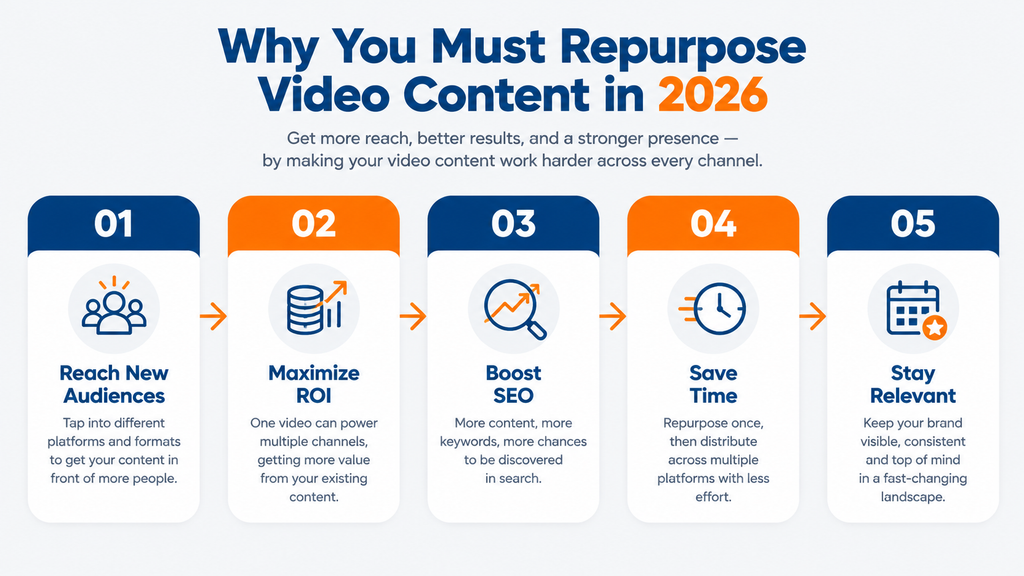
The case to repurpose video content has never been stronger. Audiences are fragmented across more platforms than ever before, each with different content format preferences, different algorithms, and different usage contexts. A viewer who will never search YouTube for your content might discover the same insight as a TikTok clip. A professional who ignores Instagram might engage deeply with your insights on LinkedIn. A subscriber who missed your video might read its key points in your email newsletter.
The decision to repurpose video content is also the most efficient response to the content volume demands of modern digital marketing. Brands that show up consistently across multiple platforms build stronger brand recognition, generate more organic traffic from search, and maintain more touchpoints with prospects throughout their buying journey. Producing enough original content to maintain that presence across six or eight platforms simultaneously is beyond the resource capacity of most businesses — but repurposing a single video into multiple formats makes it achievable.
The brands that grow fastest in 2026 are not necessarily those that produce the most content. They are the ones that extract the most value from every piece of content they produce. Learning to systematically repurpose video content is one of the highest-leverage content skills any marketing team or solo creator can develop.
Ready To Actually Go Viral?
Strategy gets you started — execution gets you views. Tasknestly’s viral video service handles the full production and distribution.
Get Viral Video Services →Repurpose Video Content: Short-Form and Social Formats
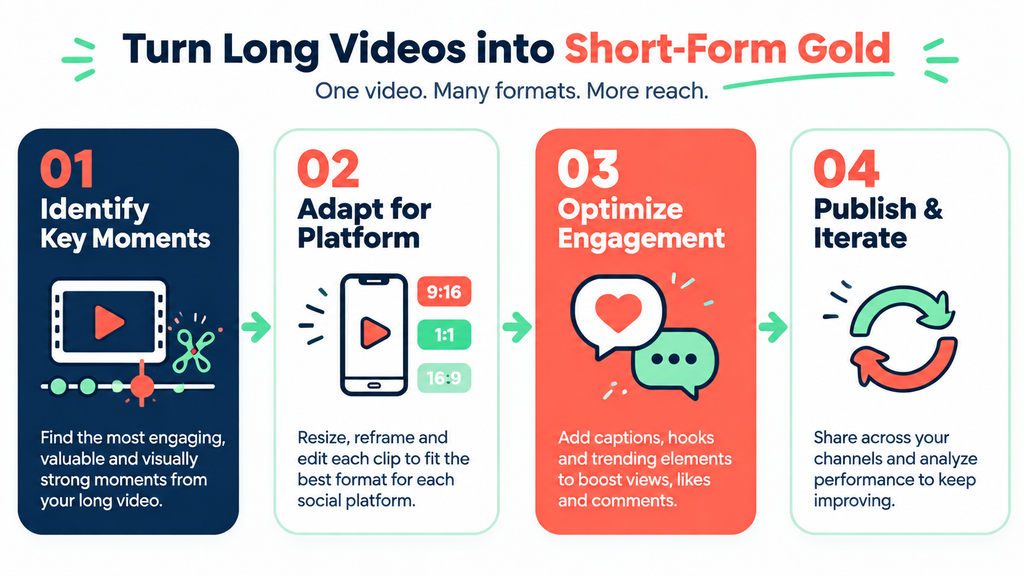
The fastest and most impactful ways to repurpose video content are the short-form and social formats that extend your reach to platform-native audiences who may never engage with your long-form video in its original form.
1. Extract Short-Form Vertical Clips
Short-form vertical video clips — formatted for TikTok, Instagram Reels, and YouTube Shorts — are the most powerful output when you repurpose video content for social discovery. These platforms actively promote short-form content to non-followers, giving even small brands immediate access to large, relevant audiences at zero additional cost. A single long-form video can yield five to ten high-quality short clips, each addressing a different insight or moment that works as a standalone piece.
When you repurpose video content using tools like Opus Clip, AI automatically identifies the most engaging moments in your long-form video, extract them as vertical clips, add automatic captions, and score each clip by predicted virality. This transforms a process that would take hours of manual editing into a workflow that takes minutes. Post your short clips within 48 hours of your long-form video publication while the content is still topically fresh and the algorithm is actively evaluating your channel’s new content.
2. Create Social Media Quote Graphics
Every long-form video contains quotable insights, statistics, and principles that work powerfully as standalone social media graphics. When you repurpose video content into quote graphics, you create shareable visual assets that perform well on Instagram, LinkedIn, Pinterest, and Facebook — reaching audiences who consume visual content but rarely click through to watch video.
To repurpose video content into quote graphics, watch your long-form video with a document open and note the five to ten most quotable moments: a counterintuitive insight, a surprising statistic, a memorable framework, or a concise summary of a complex idea. Design each quote as a branded graphic using Canva — matching your brand colours, fonts, and visual style — and schedule them for distribution across the week following your video’s publication. This approach extracts additional social value from every video you produce with minimal additional effort.
3. Build a LinkedIn Carousel
LinkedIn carousels — multi-slide documents that users swipe through — are one of the highest-engagement content formats on the platform, consistently generating more impressions and comments than standard posts or shared links. When you repurpose video content into a LinkedIn carousel, you transform your video’s key framework, step-by-step process, or central argument into a visually engaging, swipeable format perfectly suited to LinkedIn’s professional audience.
When you repurpose video content into a LinkedIn carousel, structure it around a single clear takeaway: ‘The 5 steps we covered in this video’ or ‘The framework behind [key insight from video]’. Include one idea per slide, use simple, bold typography, and add a final slide with a clear call to action that directs viewers to the full video or your website. A well-constructed carousel built from your video content can generate as much engagement on LinkedIn as the original video earns on YouTube.
4. Post a Twitter/X Thread
Twitter/X threads allow you to repurpose video content into a format that rewards curiosity and rewards sequential reading — making it ideal for step-by-step processes, frameworks, and insight-dense content. A thread distils your video’s key points into a series of connected tweets, each delivering enough standalone value to encourage the reader to continue to the next.
To repurpose video content as a thread, start with a strong opening tweet that summarises the most valuable insight from your video and creates curiosity about the thread that follows. Each subsequent tweet expands on one specific point, using simple language and concrete examples. End with a tweet that links to the full video for readers who want to go deeper. A well-structured thread built from strong video content regularly reaches audiences many times larger than the original video, particularly when it addresses a trending or frequently discussed topic in your niche.
Ready To Actually Go Viral?
Strategy gets you started — execution gets you views. Tasknestly’s viral video service handles the full production and distribution.
Get Viral Video Services →Repurpose Video Content: Written and Audio Formats
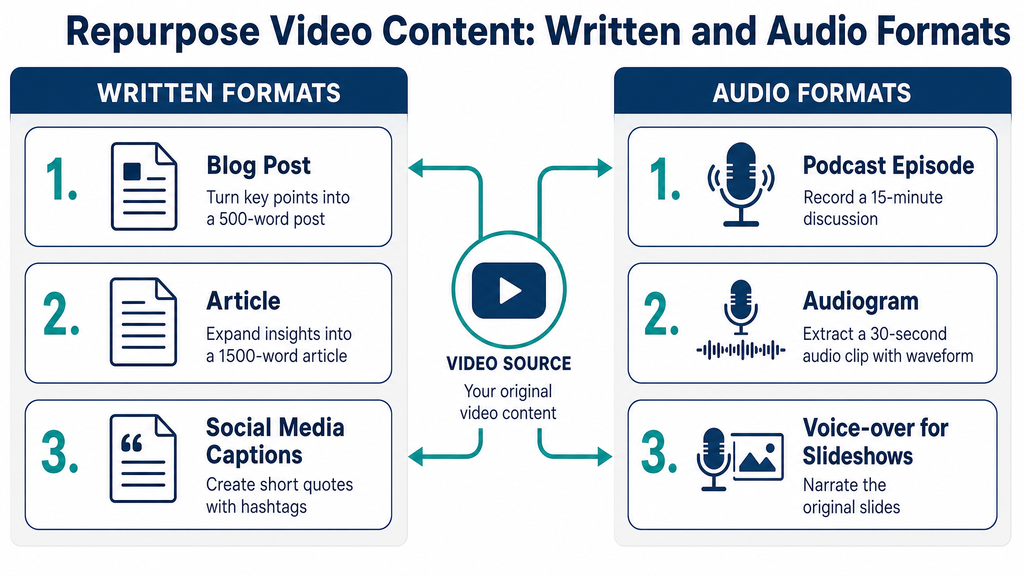
These formats allow you to repurpose video content into channels with completely different discovery mechanisms — search engines, podcast platforms, and email inboxes — reaching audiences who will never encounter your original video through social or YouTube algorithms.
5. Write a Blog Post From the Transcript
Repurposing a video into a blog post is one of the most SEO-valuable ways to repurpose video content, because it creates a text-based version of your insights that Google can index, rank, and serve to searchers who use queries your video targets. A YouTube video ranks in YouTube search; the same content published as a blog post ranks in Google search — two completely separate discovery channels reached from one production effort.
To repurpose video content into a blog post, start with an auto-generated transcript from YouTube or a tool like Descript, then edit it substantially rather than publishing it verbatim. A direct transcript reads poorly as a blog post — it lacks structure, subheadings, and the context that text readers expect. Reorganise the content with clear H2 and H3 headings, add internal links to related pages on your site, incorporate relevant keywords that align with your SEO strategy, and expand sections where the video was brief for the sake of pacing. The result should feel like a native, comprehensive blog post — not a transcription.
6. Launch a Podcast Episode
If your video content is primarily spoken — interviews, tutorials, commentary, or educational presentations — the audio alone has strong standalone value as a podcast episode. When you repurpose video content into a podcast, you gain access to the substantial audience that consumes long-form content exclusively through audio: commuters, gym-goers, and professionals who listen while working. Podcast listeners are among the most loyal and high-purchase-intent audiences in digital media.
To repurpose video content as a podcast, extract the audio track from your video using a simple audio editor or tools like Descript, add a brief intro and outro that introduce your podcast brand, and upload the episode to your preferred podcast hosting platform. Podcast directories like Spotify and Apple Podcasts will distribute your episode to millions of potential listeners at no cost. A consistent video-to-podcast workflow allows you to maintain a podcast presence without producing any additional content beyond your primary video output.
7. Create an Email Newsletter Feature
Your email subscribers are your most engaged, highest-intent audience — and every video you produce is an opportunity to deliver them additional value while driving views on your original content. When you repurpose video content for your newsletter, you serve subscribers who may have missed the video while giving others a compelling reason to watch it, sharing the key insights in text format for those who prefer reading, and reinforcing your positioning as a go-to authority on your topic.
Structure your video newsletter feature as a standalone value piece, not a simple link drop. Summarise the three to five most valuable insights from the video in 200 to 300 words, then link to the full video for subscribers who want to go deeper. This approach respects subscriber time, delivers immediate value regardless of whether they click through, and consistently produces higher open rates than purely promotional newsletters.
| Turn Your Videos Into a Full Content Marketing EngineTasknestly’s digital marketing services include content strategy, video repurposing workflows, SEO, and social media management — building a multi-channel presence from your existing content.Book your free content strategy consultation → |
Ready To Actually Go Viral?
Strategy gets you started — execution gets you views. Tasknestly’s viral video service handles the full production and distribution.
Get Viral Video Services →Repurpose Video Content: Platform-Specific Formats
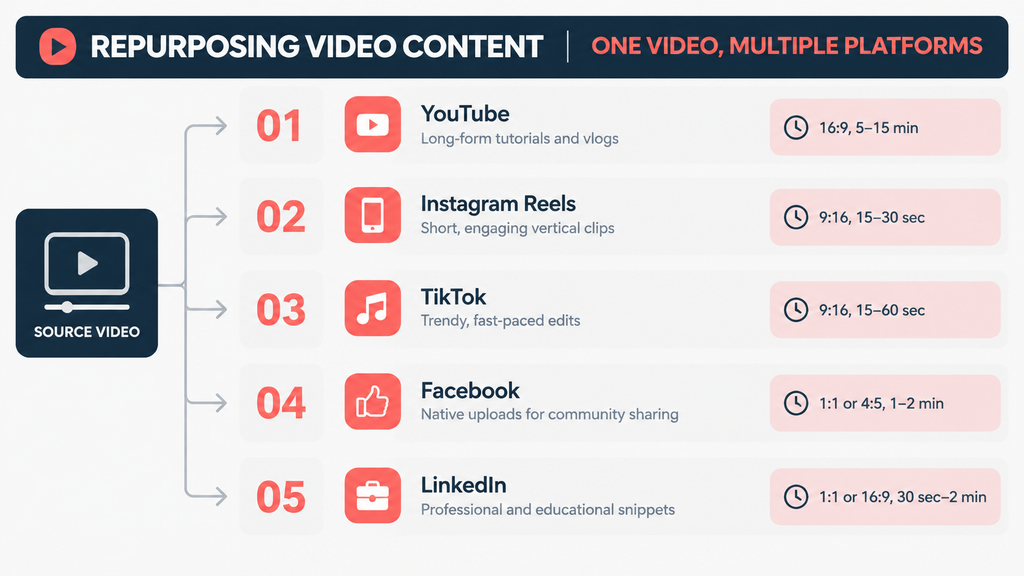
These final three ways to repurpose video content target specific platforms with formats native to each one, maximising engagement and algorithmic reach within those communities.
8. Create a Pinterest Infographic
Pinterest is a search engine for visual content, and it offers a significant organic discovery opportunity for brands that repurpose video content into tall, visually compelling infographics. Pinterest users actively search for information, inspiration, and step-by-step guidance — exactly the content that most educational videos contain. A well-designed infographic based on your video’s core framework or process can generate consistent referral traffic for months or years after its publication.
When you repurpose video content as a Pinterest infographic, design it in the 2:3 ratio (1000 x 1500 pixels) preferred by Pinterest’s algorithm, using your brand colours and fonts from Canva. Present your video’s key steps, statistics, or framework in a clear vertical layout with one idea per section. Pin the infographic with a detailed description that includes the keywords your target Pinterest audience searches, and link directly to your original video or the blog post version for traffic referral.
9. Post a YouTube Community Update
YouTube Community Posts allow you to engage with your subscriber base between video uploads — and they are an easy, low-effort way to repurpose video content into additional touchpoints with your existing audience. Share a key insight from a recent video as a Community Post, ask a discussion question based on the video’s topic, or share a behind-the-scenes image from the filming process alongside a link to the full video.
Community Posts appear in subscribers’ feeds and on your channel page, giving your video a second and third wave of exposure beyond the initial upload. They also signal active channel engagement to YouTube’s algorithm, which factors creator engagement into recommendation frequency. A simple weekly Community Post built from your existing video content maintains algorithmic momentum on days when you are not publishing new videos.
10. Build an Email Mini-Course
If your video library covers a topic in depth across multiple episodes, you have all the content needed to create a high-value email mini-course — one of the most effective lead magnets available for email list building. When you repurpose video content into an email course, you restructure your existing videos into a sequential learning journey delivered over five to seven days, with each email linking to one video episode and summarising its key lesson.
An email mini-course built from repurposed video content serves as both a lead magnet and a trust-building nurture sequence. New subscribers receive immediate, structured value from your existing video library, building familiarity with your brand and expertise before any promotional offer is made. This is one of the most efficient repurpose video content strategies available because it transforms hours of existing footage into a premium product that grows your email list and nurtures subscribers toward a purchase simultaneously.
Ready To Actually Go Viral?
Strategy gets you started — execution gets you views. Tasknestly’s viral video service handles the full production and distribution.
Get Viral Video Services →10 Ways to Repurpose Video Content: Quick Reference
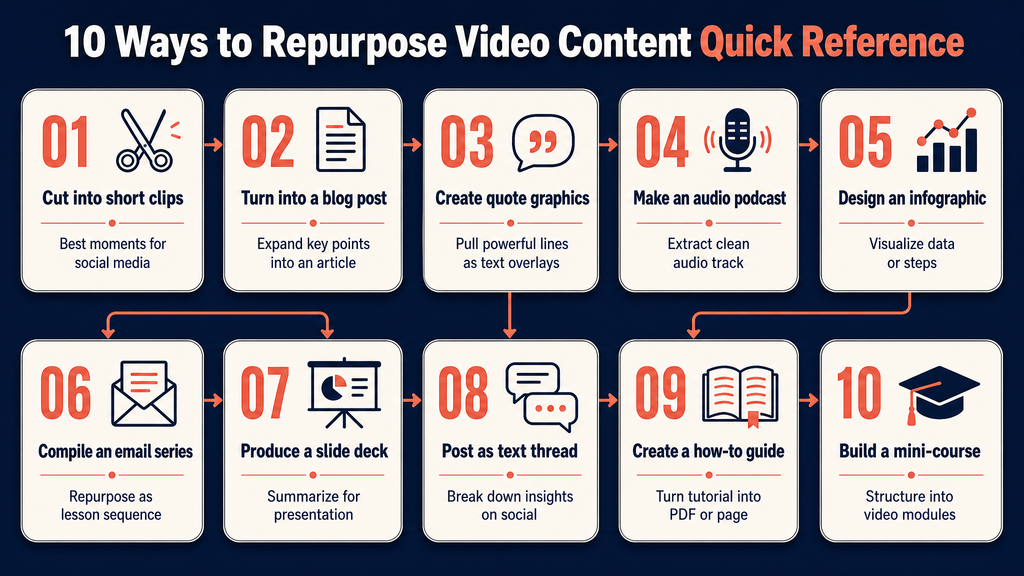
Use this table when planning your repurposing workflow for each new video, or when presenting your repurpose video content strategy to stakeholders.
| # | Format | Platform | Production Effort |
| 1 | Short-form vertical clips | TikTok / Reels / Shorts | Low — AI clip tools automate extraction |
| 2 | Blog post or article | Website / Google | Medium — transcription plus editing |
| 3 | Email newsletter feature | Inbox | Low — embed link with written summary |
| 4 | Social media quote graphics | Instagram / LinkedIn | Low — screenshot plus Canva design |
| 5 | Podcast episode | Spotify / Apple Podcasts | Low — audio extraction and upload |
| 6 | LinkedIn carousel | Medium — reformat key points into slides | |
| 7 | Twitter/X thread | Twitter/X | Low — extract key insights as threaded posts |
| 8 | Pinterest infographic | Medium — visualise key data or steps | |
| 9 | YouTube Community Post | YouTube | Low — share screenshot or clip link |
| 10 | Email course or mini-series | Email inbox | Medium — restructure into lesson sequence |
| Essential Tools to Repurpose Video Content at ScaleOpus Clip — Automatically extract viral short clips from your long-form videos for TikTok, Reels, and Shorts instantly.InVideo — Transform your video scripts and transcripts into polished marketing videos in minutes with AI templates.Canva — Turn video stills and quotes into branded social carousels, infographics, and eye-catching post graphics. |
Ready To Actually Go Viral?
Strategy gets you started — execution gets you views. Tasknestly’s viral video service handles the full production and distribution.
Get Viral Video Services →Frequently Asked Questions: Repurpose Video Content
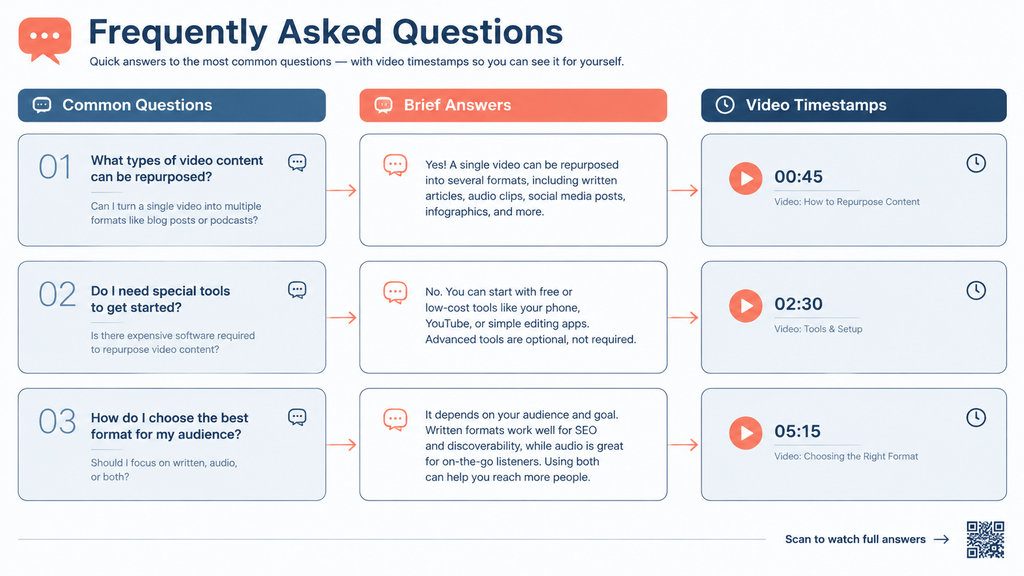
| Question | Answer |
| What does it mean to repurpose video content? | To repurpose video content means to take a single piece of video — such as a YouTube video, webinar, or recorded interview — and transform it into multiple different content formats for distribution across different platforms and channels, maximising reach and value without filming additional footage. |
| What types of video are best to repurpose? | The best videos to repurpose video content from are long-form recordings with substantial educational or informational value: YouTube tutorials, webinar recordings, podcast video versions, interview recordings, and training videos. The more depth a video has, the more content formats it can support. |
| How many pieces of content can one video generate? | A single 30-minute long-form video can realistically generate 10 to 20 pieces of derivative content when repurposed systematically: 5-10 short-form clips, 1 blog post, 1 email newsletter, 3-5 social graphics, 1 podcast episode, 1 LinkedIn carousel, and a YouTube Community Post at minimum. |
| What tools help me repurpose video content? | The most effective tools to repurpose video content include Opus Clip for automatic short-clip extraction, Descript for transcription and blog post creation, InVideo for reformatting footage into new video formats, and Canva for creating social graphics and carousels from video stills and quotes. |
| How do I repurpose video content for different platforms? | Each platform requires format adaptation, not just resizing. TikTok and Reels need vertical (9:16) clips with native captions and hooks in the first second. LinkedIn prefers square or landscape formats with professional context. Pinterest requires tall (2:3) infographic layouts. Blog posts need structured headers and internal links added to the transcription. |
| Is repurposing video content considered duplicate content? | No. Repurposing video content into different formats — a blog post, a podcast, social graphics, email content — is not duplicate content because each format is substantively different and published on different platforms. Even similar text across a blog post and email newsletter is generally not treated as duplicate content by search engines. |
| How often should I repurpose video content? | Repurpose every piece of long-form video content you produce, ideally within 48 hours of the original publication. Build a repurposing workflow into your video production process so that clip extraction, transcription, and social asset creation happen systematically rather than as an afterthought. |
Ready To Actually Go Viral?
Strategy gets you started — execution gets you views. Tasknestly’s viral video service handles the full production and distribution.
Get Viral Video Services →Conclusion: Repurpose Video Content and Multiply Your Reach
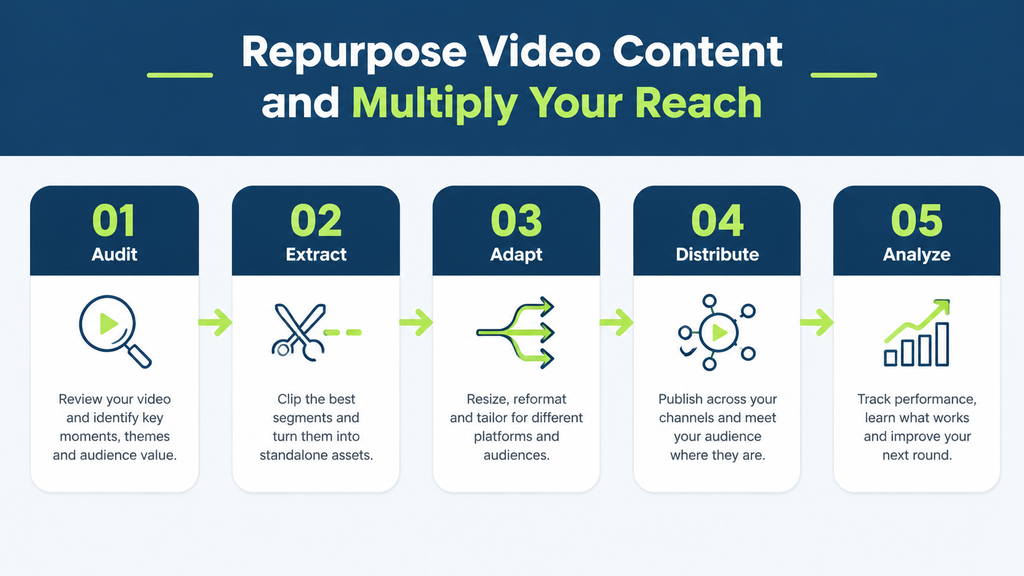
Learning to systematically repurpose video content is one of the highest-leverage decisions any content-producing business can make. Every video you produce contains significantly more value than its original format captures — value that can be unlocked through short clips, blog posts, podcasts, infographics, carousels, and email content, each reaching a different audience through a different discovery channel. The 10 formats in this guide give you a complete repurposing system that turns every 30-minute video into a week’s worth of multi-platform content.
The key to making your repurpose video content strategy sustainable is systematisation. Build repurposing into your production workflow from the start: schedule clip extraction, transcription, and graphic creation as standard steps that happen within 48 hours of every video publication. Use tools that automate the most time-consuming parts of the process — AI clip extraction, auto-captioning, and template-based design — so that repurposing adds hours of additional reach for minutes of additional effort.
At Tasknestly, we help businesses build video content strategies that maximise reach across every relevant platform — from initial video production and SEO optimisation to repurposing workflows and distribution. If you are ready to make your video content work ten times harder for your brand, explore our viral video services or request a free quote today.
If you publish a transcript-based blog post, embed the original video on the same page. Google’s video SEO best practices explain how to make that video easy for search engines to find.
Ready To Actually Go Viral?
Strategy gets you started — execution gets you views. Tasknestly’s viral video service handles the full production and distribution.
Get Viral Video Services →Grow With Tasknestly
Subscribe to the Tasknestly newsletter and get the latest tips on websites, SEO, social media, and digital growth.