
Affiliate disclosure: Some links in this post are affiliate links. If you buy through them, we may earn a commission at no extra cost to you. It never changes our opinion.
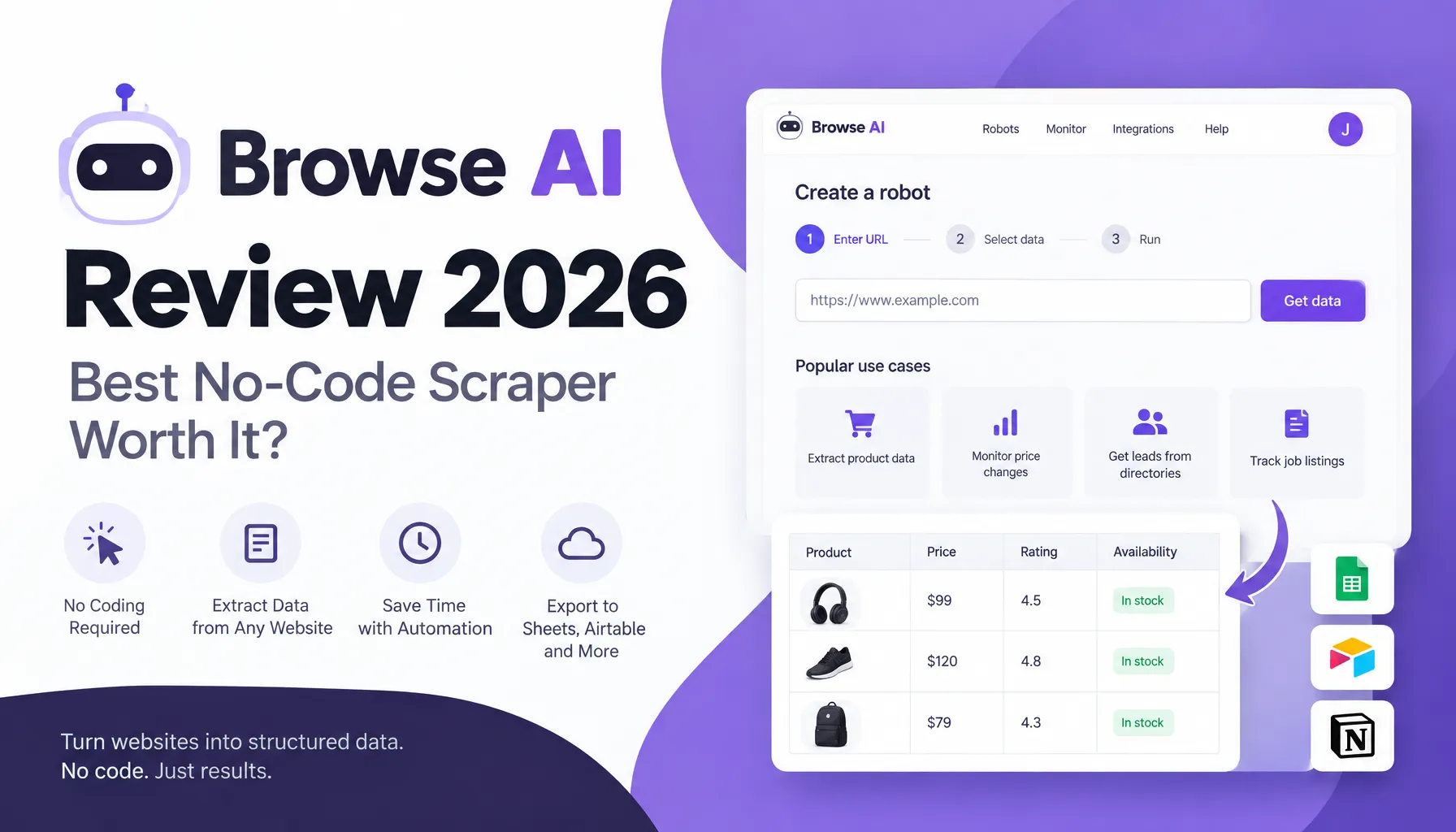
If you have ever spent an afternoon copy-pasting product prices, leads or listings from a website into a spreadsheet, this Browse AI review is written for you. Browse AI is a no-code web scraper. You train a small “robot” by pointing and clicking, and the robot then collects the same data again and again, on a schedule, and sends it to Google Sheets, Airtable or your favorite automation tool.
In this Browse AI review, we cover what the tool does, how the setup works, what it really costs in 2026, where it struggles and which alternatives are worth a look. By the end of this Browse AI review you will know whether it deserves a place in your toolkit or whether you should save your money.
Quick answer: Browse AI is worth it if you need regular, structured data from websites and you do not write code. If you only need a single export, the free plan may be all you ever need.
Want Your Store To Actually Convert?
Strategy is step one — execution is what moves revenue. Tasknestly builds and optimizes ecommerce stores that convert.
Get Ecommerce Services →Table of Contents
Browse AI Review: The Short Version
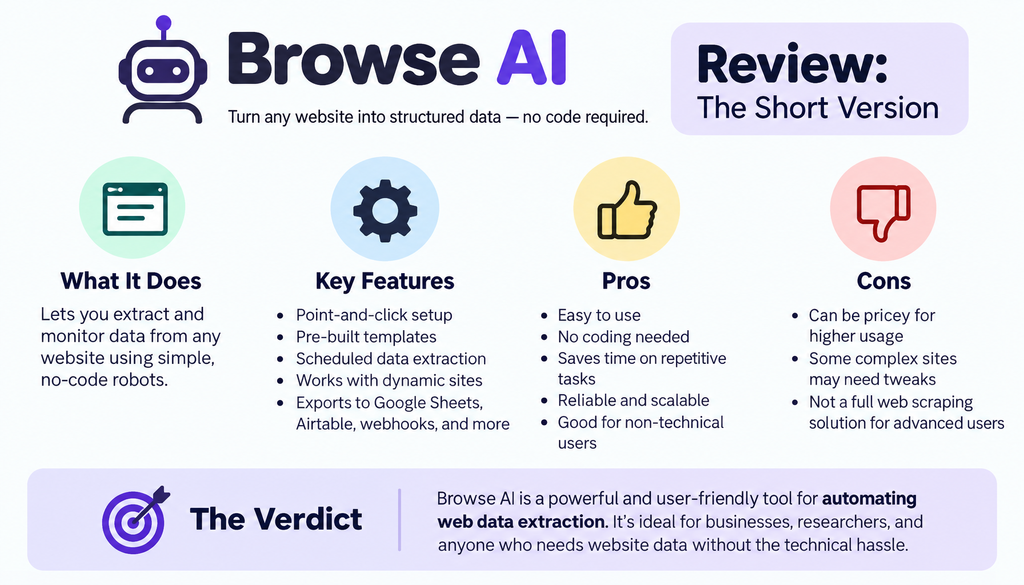
Here is the whole Browse AI review in a few lines before we go deeper:
- Best for: marketers, ecommerce owners, recruiters, researchers and agencies who need website data without hiring a developer.
- Biggest strength: you can train a working robot in minutes just by clicking on the data you want.
- Biggest weakness: credits can disappear quickly on large sites or very frequent schedules.
- Starting price: a free plan, with paid plans from $19 per month billed annually.
- Our rating: 4 out of 5 for no-code data extraction.
Want Your Store To Actually Convert?
Strategy is step one — execution is what moves revenue. Tasknestly builds and optimizes ecommerce stores that convert.
Get Ecommerce Services →What Is Browse AI? A Simple Browse AI Review Overview
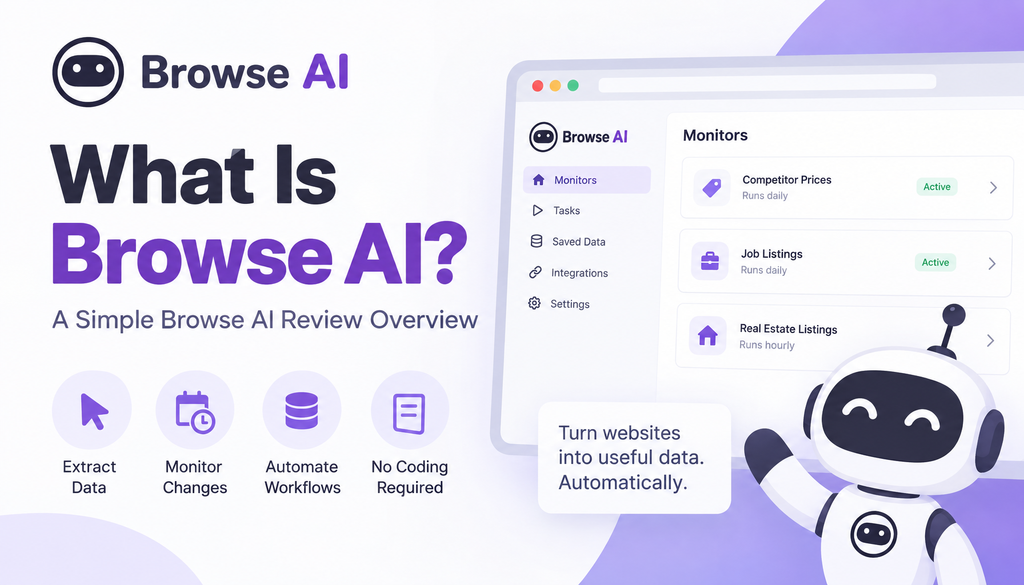
Browse AI is a cloud-based platform that turns any website into a spreadsheet or an API. You open a page, show the tool which pieces of information matter to you, and it builds a robot that repeats the same job whenever you ask, or on a schedule you choose.
Think of the robot as a patient assistant. It visits a page every hour, every day or every week, copies exactly what you asked for, and can tell you when something changes. That makes it useful for price tracking, lead lists, job boards, real estate listings and competitor research.
The reason this Browse AI review focuses so much on the no-code side is simple. Most scraping tools demand Python, CSS selectors, proxies and a lot of patience. Browse AI hides that complexity behind a visual interface, so a marketer or store owner can get results without opening a code editor.
Who Is Behind Browse AI?
Browse AI is a software-as-a-service product that runs entirely in the cloud. You do not install heavy software or keep your computer switched on. The robots run on the company’s servers, which means your scheduled jobs keep working even when you are asleep. That is one of the quiet advantages we want to highlight in this Browse AI review.
Want Your Store To Actually Convert?
Strategy is step one — execution is what moves revenue. Tasknestly builds and optimizes ecommerce stores that convert.
Get Ecommerce Services →How Browse AI Works: Setup Explained in This Browse AI Review
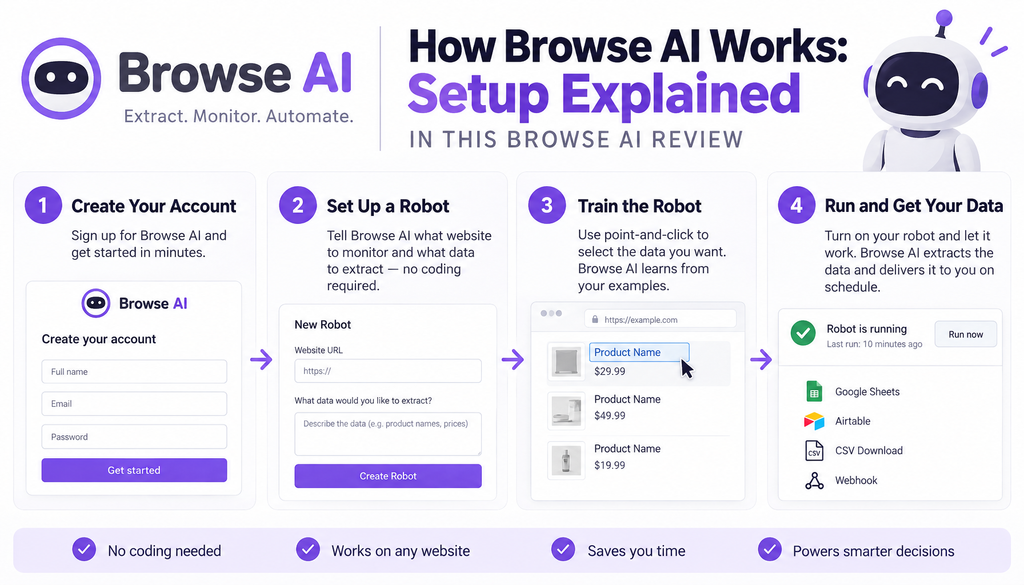
Setting up your first robot takes only a few minutes. The flow looks like this:
- Open the dashboard or browser extension. Paste the address of the page you want to scrape.
- Record your actions. Click the text, images, links or prices you want to capture. Browse AI records each step.
- Name your data fields. For example: product name, price, rating and product link.
- Test the robot. It runs once so you can confirm the data looks right before you rely on it.
- Schedule it. Choose how often the robot should run, from hourly monitoring to daily or weekly checks.
- Send the data somewhere useful. Connect Google Sheets, Airtable, Zapier, Make or a webhook so the results land where you work.
The part of this Browse AI review that matters most to beginners is how little technical knowledge the setup demands. If you can use a web browser, you can build a robot.
Want Your Store To Actually Convert?
Strategy is step one — execution is what moves revenue. Tasknestly builds and optimizes ecommerce stores that convert.
Get Ecommerce Services →A Realistic Example
Imagine you run a small online shop and want to watch five competitors. Without automation, you would open five websites every week, copy prices into a sheet and hope you did not miss anything. With Browse AI, you build one robot per competitor page, schedule it weekly and let the numbers appear in Google Sheets by themselves. The time you save over a year is the real selling point of any honest Browse AI review.
Want Your Store To Actually Convert?
Strategy is step one — execution is what moves revenue. Tasknestly builds and optimizes ecommerce stores that convert.
Get Ecommerce Services →What Makes Browse AI Different? A Browse AI Review Comparison
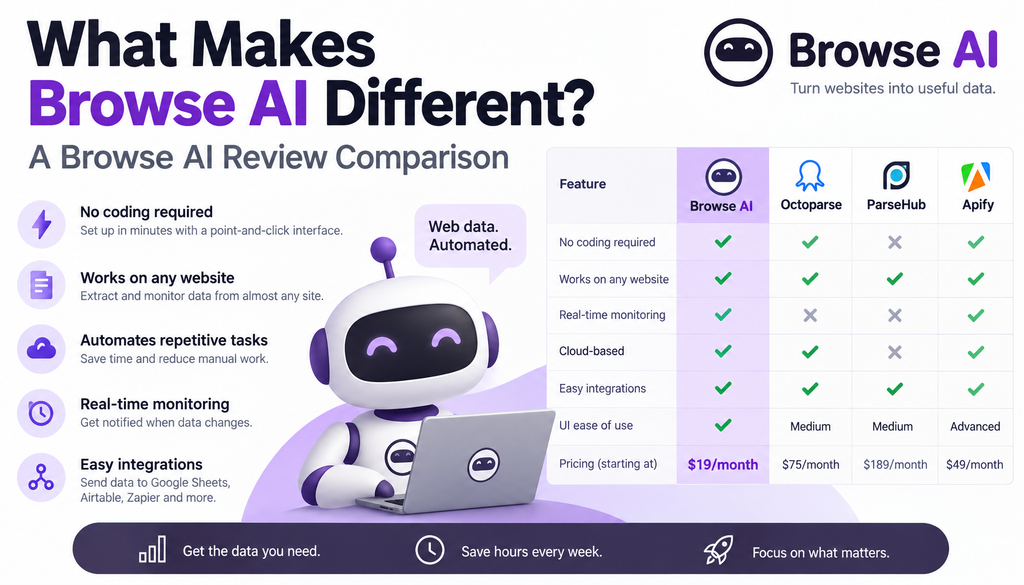
Plenty of tools promise easy scraping, so what sets Browse AI apart? In this Browse AI review, three things stand out.
First, the training method. Instead of asking you to configure rules, Browse AI watches what you click and builds the robot from that behavior. Second, the monitoring. Many scrapers collect data once and stop, while Browse AI is built around repeating the job and flagging changes. Third, the delivery. Data does not sit trapped in a dashboard. It moves into Sheets, Airtable and automation tools with a few clicks.
Put together, these strengths explain why people searching for a Browse AI review often end up choosing it over heavier tools. It is designed for the person who needs answers from the web, not for the person who wants to maintain scraping infrastructure.
That said, simplicity has a trade-off. Developers who want full control over headers, proxies and custom logic may find a no-code tool limiting. Our Browse AI review is written mainly for non-technical buyers, so keep that audience in mind when you weigh the verdict.
Want Your Store To Actually Convert?
Strategy is step one — execution is what moves revenue. Tasknestly builds and optimizes ecommerce stores that convert.
Get Ecommerce Services →Browse AI Review: Key Features
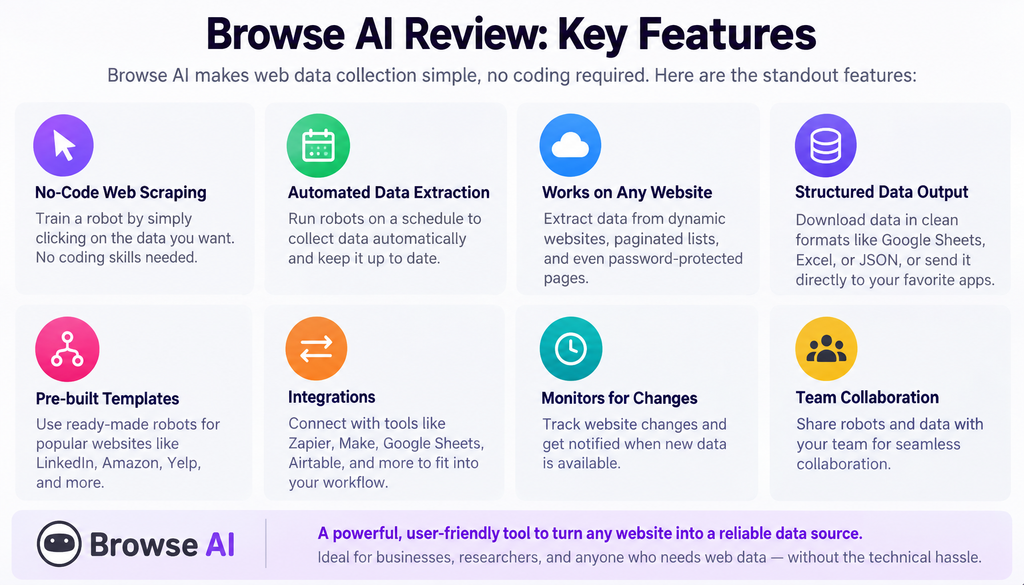
Features are where a tool either earns its price or does not. Here is what stands out.
Browse AI Review of Point-and-Click Robot Training
This is the heart of the product. You do not write selectors or scripts. You show the tool what to collect and it learns the pattern, including repeated items on a list page and multi-page results. For non-technical users, this feature is the biggest reason to choose Browse AI over code-based scrapers.
Browse AI Review of Prebuilt Robots
If you do not want to start from scratch, Browse AI offers prebuilt robots for common websites and tasks. They are a real time-saver, especially when you are still learning how the platform behaves. A prebuilt robot gets you to a working result faster than building one yourself.
Browse AI Review of Website Monitoring and Alerts
Robots can watch a page and alert you when prices, stock levels, listings or text change. For ecommerce sellers, affiliate marketers and researchers, this single feature can justify the subscription. Instead of checking a page manually, you wait for the alert.
Browse AI Review of Bulk Runs
You can give a robot a list of web addresses and extract data from many pages in one go. This is where Browse AI moves from a handy gadget to a serious research tool. A task that would take a full day by hand can finish while you work on something else.
Browse AI Review of Workflows and Integrations
Browse AI connects with Google Sheets, Airtable, Zapier, Make, Pabbly Connect, webhooks, Amazon S3 and a REST API. In practice, your scraped data can flow into the rest of your business without manual exports. For example, a new job listing can create a row in a sheet, which then triggers a Slack message through Zapier.
Browse AI Review of Security and Compliance
The platform encrypts stored credentials and uses secure connections, and the Premium plan lists SOC 2 Type II, GDPR and CCPA compliance. If you handle client data or work with larger companies, that detail matters, and it is worth a mention in any thorough Browse AI review.
Want Your Store To Actually Convert?
Strategy is step one — execution is what moves revenue. Tasknestly builds and optimizes ecommerce stores that convert.
Get Ecommerce Services →Browse AI Review: Pricing in 2026
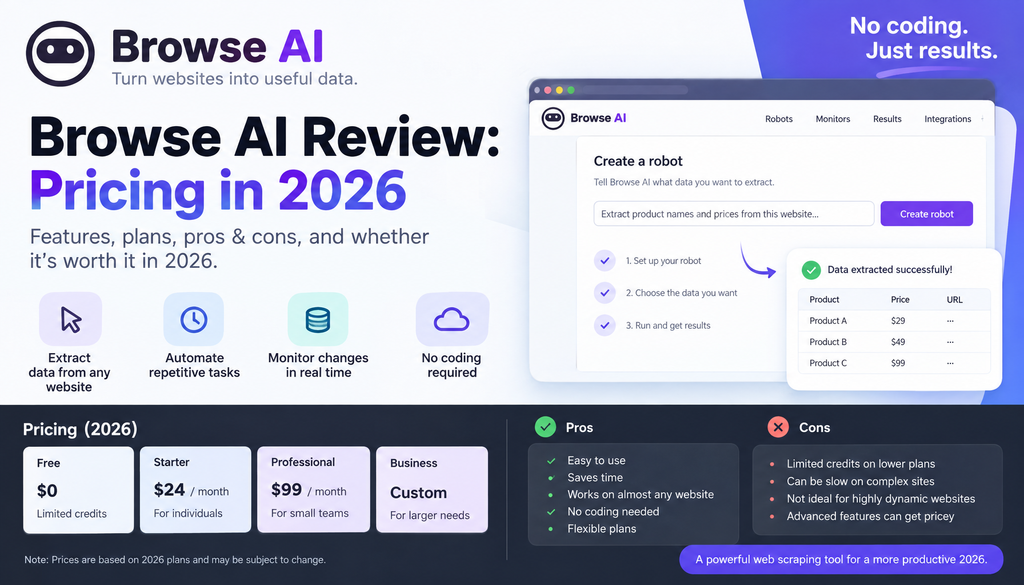
Pricing is where many people get confused, so this part of the Browse AI review keeps it simple. Browse AI uses a credit system. One credit covers about 10 rows of extracted data or one screenshot. Pages on more heavily protected websites can cost more credits per run, roughly 2 to 10.
| Plan | Price | What you get |
|---|---|---|
| Free | $0 | 2 websites, 3 users, unlimited robots, hourly monitoring |
| Personal | $19 per month billed annually ($48 if billed monthly) | 5 websites, 3 users, 12,000 credits per year (2,000 per month on monthly billing) |
| Professional | $69 per month billed annually ($87 if billed monthly) | 10 websites, 10 users, 60,000 credits per year, priority email support |
| Premium | From $500 per month | Custom credits and users, dedicated account manager, managed onboarding |
Prices were checked on the official pricing page in October 2026 and can change, so confirm the latest numbers before you buy.
What Do Credits Actually Mean?
Since one credit equals about 10 rows, 1,000 rows of data costs roughly 100 credits. On the Personal annual plan, 12,000 credits is about 120,000 rows over the year. On Professional, 60,000 credits is about 600,000 rows. These simple sums are the most useful part of any Browse AI review pricing section, because they show you whether your project fits the plan before you pay.
Browse AI Review: Is the Free Plan Enough?
For testing, yes. The free plan lets you build unlimited robots on two websites, which is plenty to learn the tool and check whether it can handle your target site. For regular business use, you will probably outgrow it quickly.
Which Paid Plan Makes Sense?
The Personal plan is the sweet spot for freelancers, small shops and solo marketers. Choose Professional if several teammates need access or you scrape larger volumes. Premium is aimed at companies that want managed onboarding, extra security paperwork and a dedicated contact.
One honest warning in this Browse AI review: credits are the real cost driver. A robot that runs hourly on a long list of pages burns credits far faster than one that runs weekly. Plan your schedules before you commit to a plan.
Want Your Store To Actually Convert?
Strategy is step one — execution is what moves revenue. Tasknestly builds and optimizes ecommerce stores that convert.
Get Ecommerce Services →Browse AI Review: Ease of Use and Learning Curve
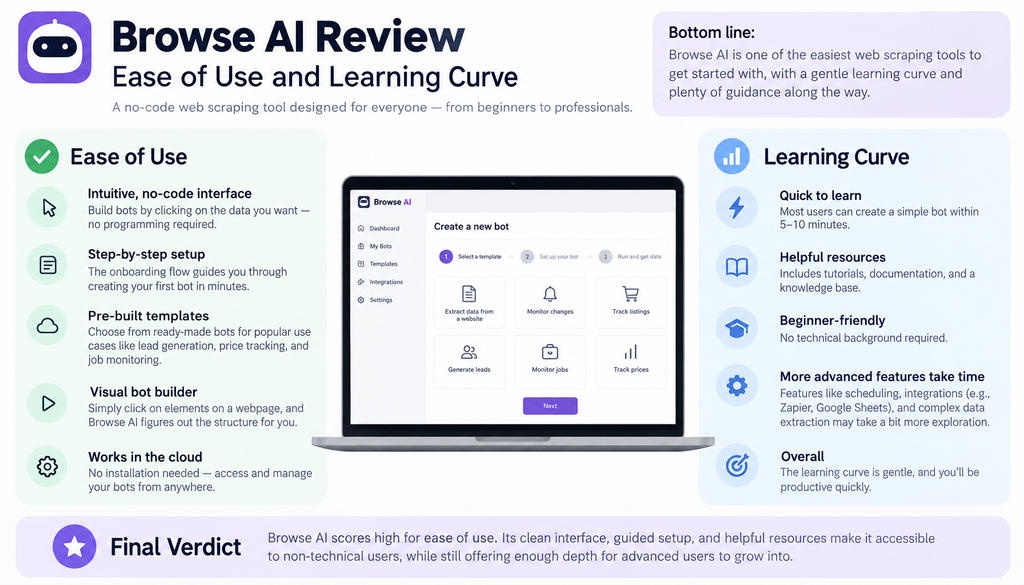
Ease of use is the main reason people choose this platform, so it deserves its own section of the Browse AI review. The dashboard is clean, the robot builder walks you through each step, and the terms are plain English: robots, tasks, runs and monitors.
Most beginners can build a basic robot in their first session. More advanced setups, such as chaining several robots together or handling pages with pop-ups and filters, take longer to learn. Expect an hour or two of practice before you feel confident.
The honest takeaway from this Browse AI review is that the first project is easy, and the tenth project is where your skills really grow. If you treat the free plan as a practice ground, you will get far more value when you upgrade.
Want Your Store To Actually Convert?
Strategy is step one — execution is what moves revenue. Tasknestly builds and optimizes ecommerce stores that convert.
Get Ecommerce Services →Browse AI Review: Support and Reliability
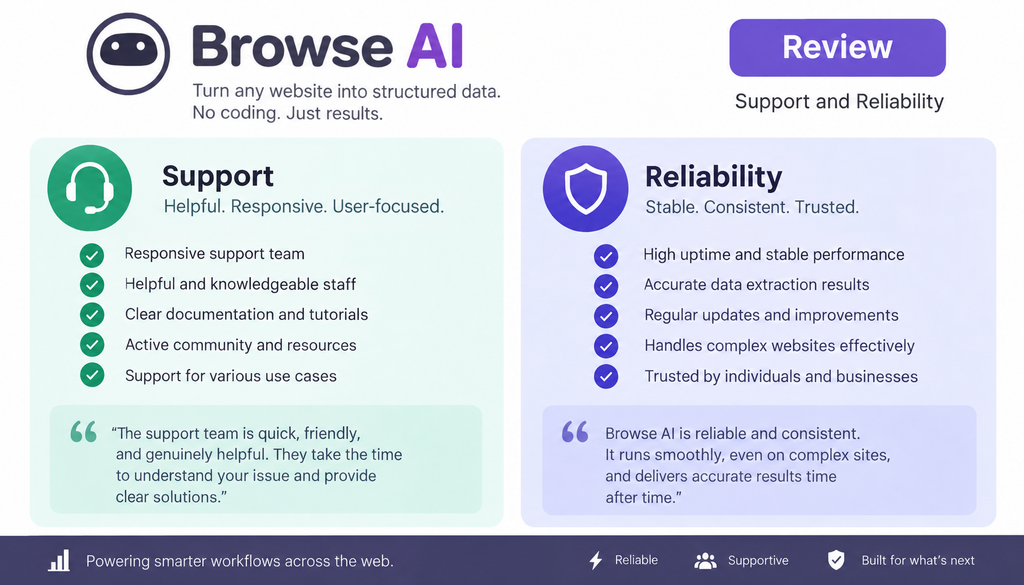
Support depends on your plan. The free plan includes basic email support, Professional adds priority email support, and Premium comes with a dedicated account manager and managed onboarding. For a solo user, email support plus the help center is usually enough.
Reliability matters just as much. Robots can break when a website changes its design, and that is true for every scraper on the market, not only Browse AI. The best protection is to run monitors, check your data after big website updates and keep your robot names organized.
Our Browse AI review view is that the platform is dependable for everyday business tasks, as long as you treat your robots like small pieces of software that need an occasional check-up. If your project is mission critical, the Premium plan’s managed onboarding is worth a conversation with the sales team.
Want Your Store To Actually Convert?
Strategy is step one — execution is what moves revenue. Tasknestly builds and optimizes ecommerce stores that convert.
Get Ecommerce Services →Browse AI Review: Pros and Cons
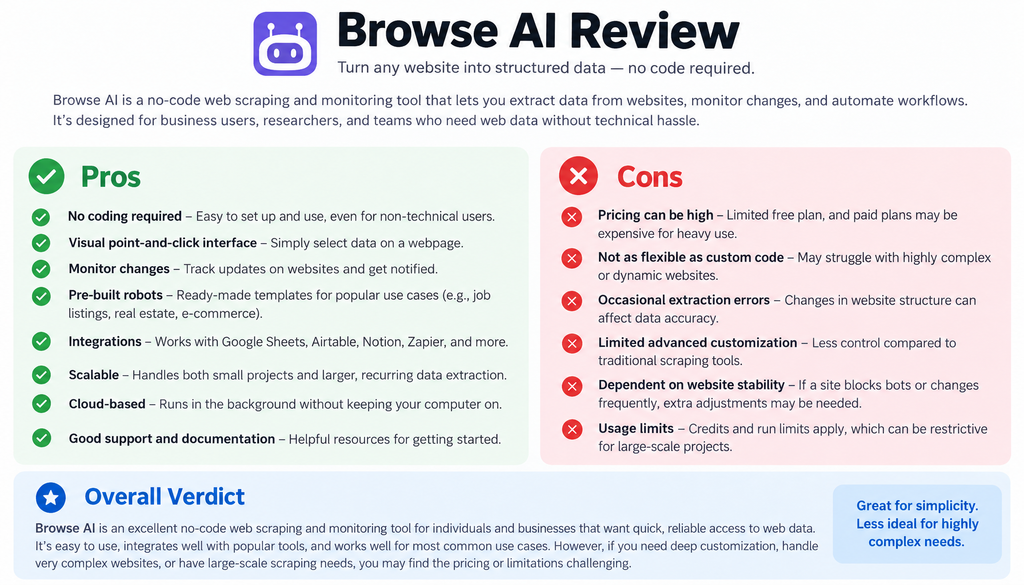
What We Like
- No code needed. Anyone can build a working robot in minutes.
- Clean output. Data lands in tidy tables that are ready for Sheets or Airtable.
- Change monitoring. Alerts save hours of manual checking.
- Strong integrations. Zapier, Make and webhooks make automation easy.
- Free plan. You can test your real use case before paying anything.
- Cloud based. Nothing to install, and schedules run without your computer.
What Could Be Better
- Credits add up. Big, frequent jobs can become expensive.
- Tricky websites. Pages with heavy JavaScript, logins or aggressive bot protection may need extra tweaking.
- Maintenance. When a website changes its layout, a robot may need retraining.
- USD only. Payments are processed in US dollars.
That balance of strengths and weaknesses is the core of this Browse AI review. It is a tool that rewards realistic expectations and a little planning.
Want Your Store To Actually Convert?
Strategy is step one — execution is what moves revenue. Tasknestly builds and optimizes ecommerce stores that convert.
Get Ecommerce Services →Browse AI Review: Real-World Use Cases
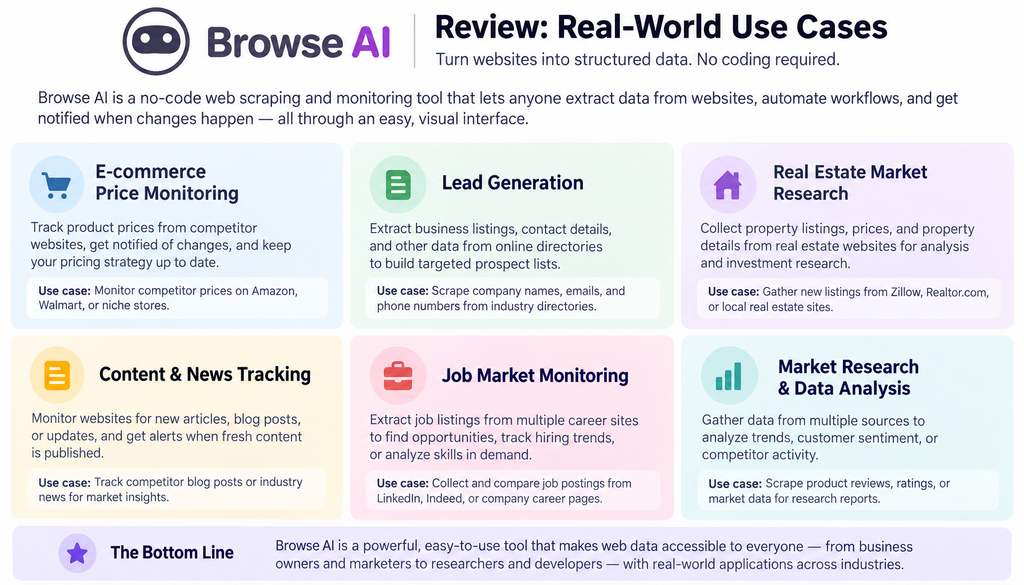
A tool is only useful if it solves real problems. These are the situations where Browse AI fits best.
Ecommerce Price Tracking
Track competitor prices, stock levels and new arrivals automatically. A weekly robot can feed a Google Sheet that your team reviews every Monday. If a rival drops a price, you know about it before your customers do.
Lead Generation
Pull business names, categories and contact pages from public directories, then send the list to your CRM. Always respect each website’s terms and local privacy laws when you collect contact data.
Recruiting and Job Boards
Monitor new listings on niche job boards and get a fresh list every morning. Recruiters and agencies can spot new openings the day they appear.
Real Estate and Local Research
Collect listings, prices and locations from property websites to spot trends in a market. Investors and agents can build a living spreadsheet instead of a pile of browser tabs.
Content and SEO Research
Scrape headlines, categories, product details or review counts to build content calendars and comparison pages faster. If you publish affiliate content, this saves hours of research every week.
Affiliate and Deal Monitoring
Watch software pricing pages, coupon pages and product listings so your articles never show outdated prices. Keeping prices fresh is one of the easiest ways to protect trust and conversions.
All of these examples show why this Browse AI review keeps coming back to one idea: Browse AI shines when you need the same data again and again.
Want Your Store To Actually Convert?
Strategy is step one — execution is what moves revenue. Tasknestly builds and optimizes ecommerce stores that convert.
Get Ecommerce Services →Browse AI Review: How to Build Your First Robot Step by Step
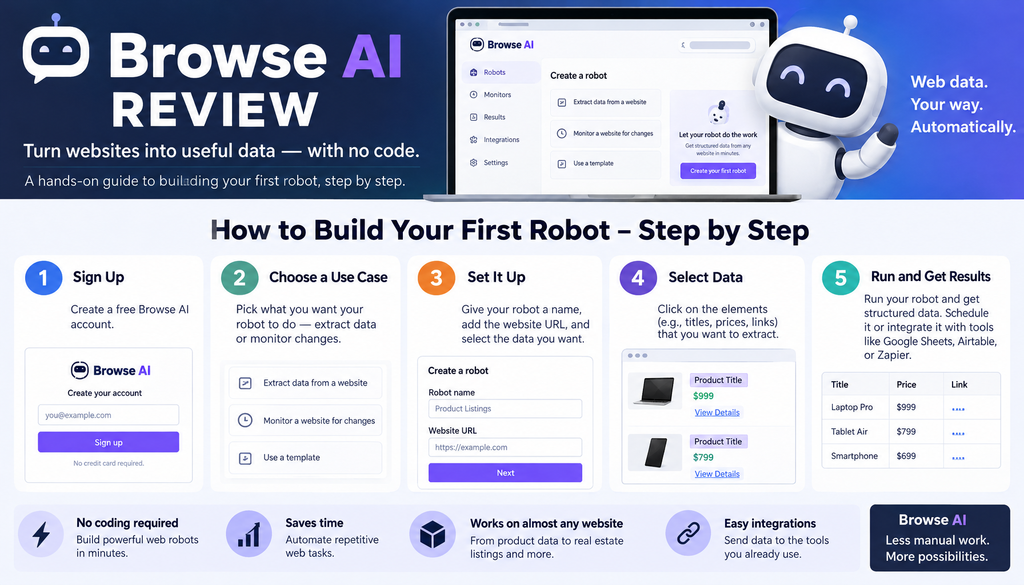
Here is a beginner-friendly walkthrough you can follow in about ten minutes.
- Create a free account. You do not need a credit card to start testing.
- Choose a simple target. A product category page or a public directory works well for a first project.
- Start a new robot. Paste the page address and let the tool load it.
- Capture a list. Click the first item, then the second, and let Browse AI detect the repeating pattern.
- Select the fields. Choose titles, prices, links and images you want to keep.
- Run a test. Check the table for missing or messy values.
- Connect Google Sheets. Your first results will appear right away.
- Add a schedule. Start with weekly runs to protect your credits.
If the first attempt is imperfect, that is normal. Every Browse AI review you read will tell you the same thing: your second robot is always faster than your first.
Want Your Store To Actually Convert?
Strategy is step one — execution is what moves revenue. Tasknestly builds and optimizes ecommerce stores that convert.
Get Ecommerce Services →Common Problems Found in Our Browse AI Review (and How to Fix Them)
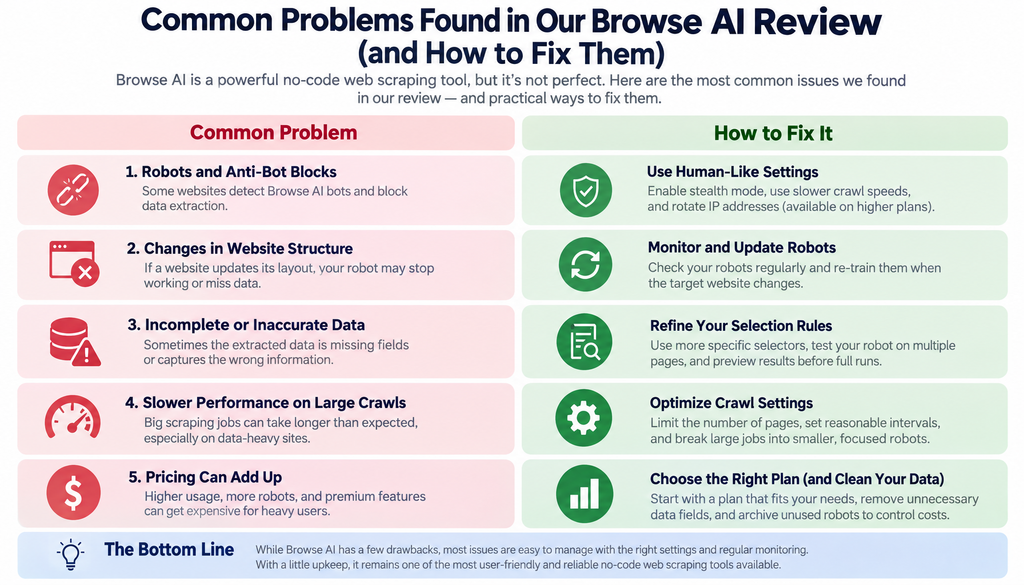
No tool is perfect. These are the issues users most often run into, along with simple fixes.
- Missing data: the page may load slowly or hide information behind a click. Retrain the robot and include that click in the recording.
- Layout changes: when a website redesigns, edit the robot or record it again.
- Credits running out: lower the run frequency, scrape fewer pages or upgrade your plan.
- Blocked pages: some websites actively resist automation. Try a different page, and always respect the site’s rules.
Understanding these limits is part of reading any honest Browse AI review. The tool is powerful, but it is not magic.
Want Your Store To Actually Convert?
Strategy is step one — execution is what moves revenue. Tasknestly builds and optimizes ecommerce stores that convert.
Get Ecommerce Services →Is Browse AI Safe and Legal? Browse AI Review Notes
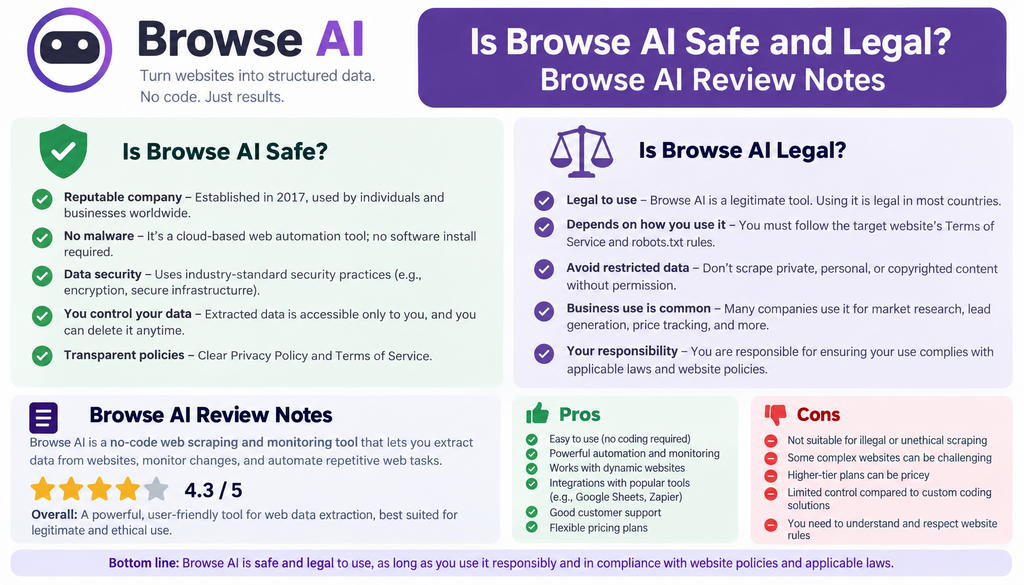
Safety has two sides: the platform’s security and how you use the tool. On the platform side, Browse AI uses encrypted credentials and secure connections, and the Premium plan lists SOC 2 Type II, GDPR and CCPA compliance.
On the usage side, the responsibility is yours. Public data such as prices, product names and listings is usually fine to collect, but personal data, content behind a login and websites that forbid scraping in their terms deserve extra care. This Browse AI review is not legal advice, so check the rules for your country and industry before you start a big project.
A simple rule keeps most people safe: collect only what you need, store it securely and respect each website’s terms.
Want Your Store To Actually Convert?
Strategy is step one — execution is what moves revenue. Tasknestly builds and optimizes ecommerce stores that convert.
Get Ecommerce Services →Who Should Use Browse AI, According to This Browse AI Review?
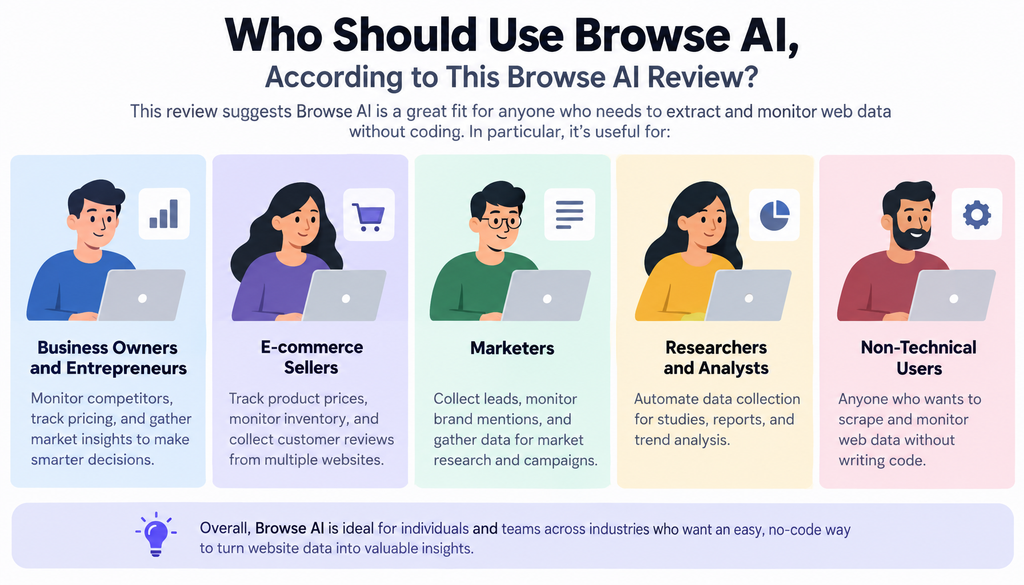
Browse AI is a good fit if you:
- Need repeatable data from websites but do not write code
- Want to monitor price, stock or content changes
- Run an agency and need fast data for clients
- Want to send scraped data into Google Sheets, Airtable or Zapier
- Prefer a managed cloud tool over self-hosted scripts
Want Your Store To Actually Convert?
Strategy is step one — execution is what moves revenue. Tasknestly builds and optimizes ecommerce stores that convert.
Get Ecommerce Services →Who Should Skip Browse AI? An Honest Browse AI Review Take
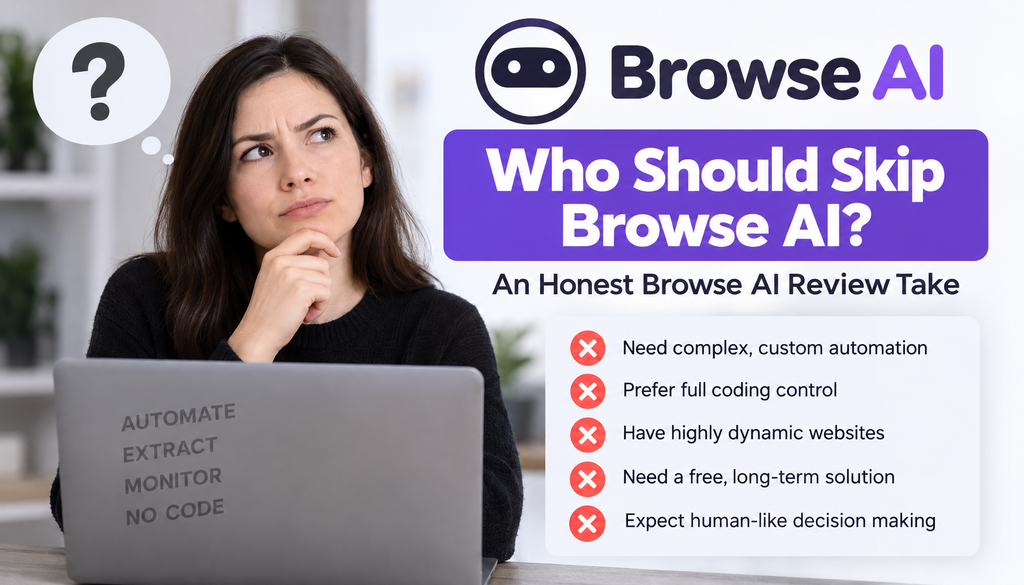
You may want to look elsewhere if you:
- Need millions of rows per month on a tight budget
- Scrape heavily protected websites that require advanced proxy handling
- Have developers who prefer building custom scrapers
- Only need a single one-time export
Being clear about who should not buy is what makes a Browse AI review trustworthy, and we would rather you spend your money wisely.
Want Your Store To Actually Convert?
Strategy is step one — execution is what moves revenue. Tasknestly builds and optimizes ecommerce stores that convert.
Get Ecommerce Services →Browse AI Alternatives Compared in This Browse AI Review
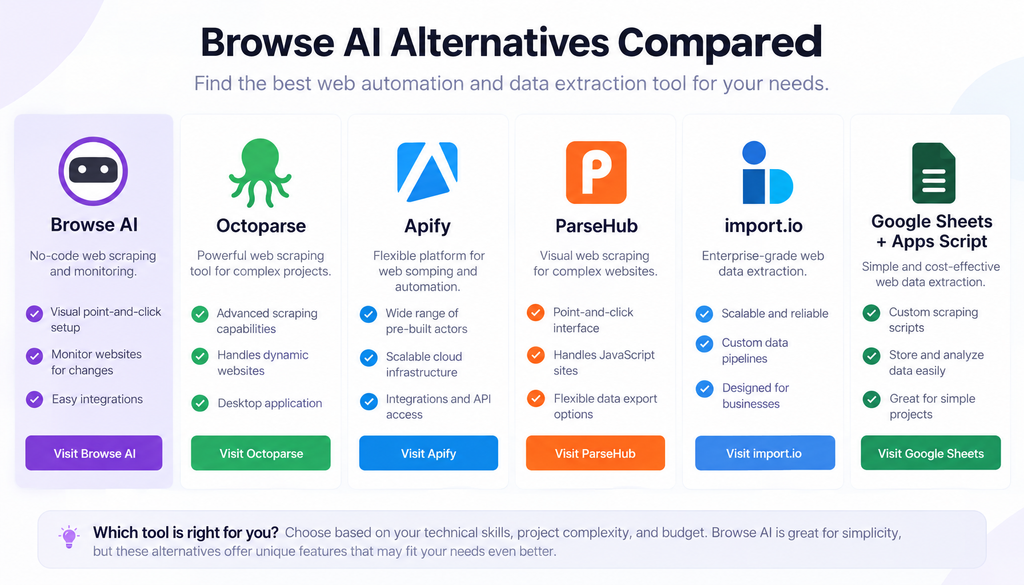
No Browse AI review is complete without a look at the competition. Here are the most common alternatives.
Octoparse
A visual scraper with a desktop app. It suits heavy users who like local control and more advanced settings, though the learning curve is steeper than Browse AI.
ParseHub
Another point-and-click tool that can handle complex pages. It is capable, but many users find the interface less modern.
Apify
Powerful and flexible, with a large library of ready-made scrapers. It is better suited to developers and technical teams.
Bardeen
A browser automation tool that is great for quick, light scraping and repetitive tasks directly inside your browser.
Instant Data Scraper
A free browser extension for simple table and list exports. It has no scheduling or monitoring, so it only works for quick one-off jobs.
If you want the easiest learning curve plus scheduling and monitoring, Browse AI is hard to beat. If you want maximum control or huge volume, one of the options above may suit you better. That is the fairest way to close the Browse AI review comparison.
Want Your Store To Actually Convert?
Strategy is step one — execution is what moves revenue. Tasknestly builds and optimizes ecommerce stores that convert.
Get Ecommerce Services →Browse AI vs Doing It Manually or Hiring a Developer
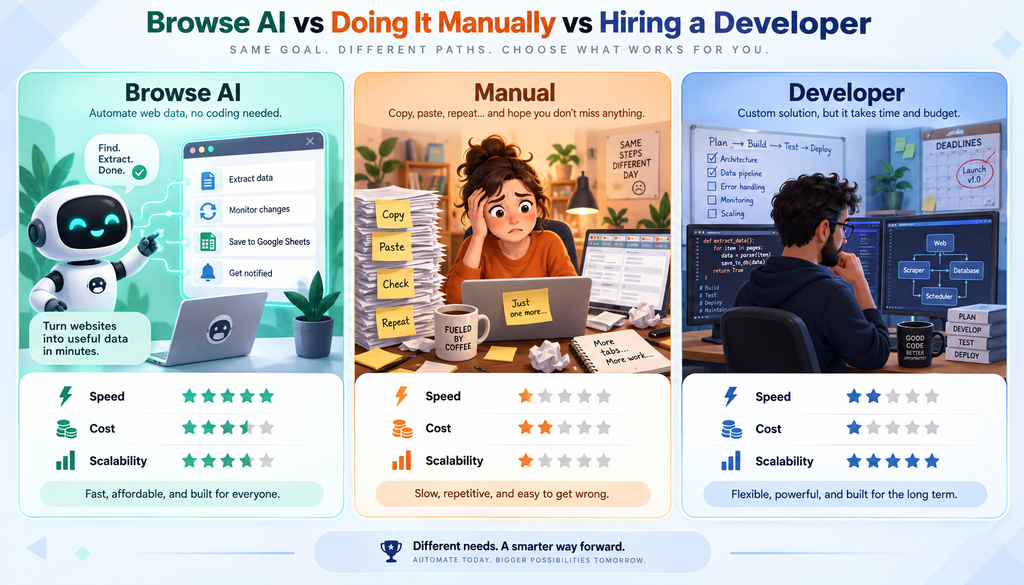
Manual copy-pasting costs time, and time is the most expensive resource a small business has. A freelance developer can build a custom scraper, but you pay for the build, the fixes and the maintenance. Browse AI sits in the middle: faster and cheaper to start than a developer, and far less painful than manual work. For many small teams, this Browse AI review comparison ends with a simple conclusion: start with the tool, and only hire a developer when your needs outgrow it.
Want Your Store To Actually Convert?
Strategy is step one — execution is what moves revenue. Tasknestly builds and optimizes ecommerce stores that convert.
Get Ecommerce Services →Browse AI Review Tips: Get More From Your Robots
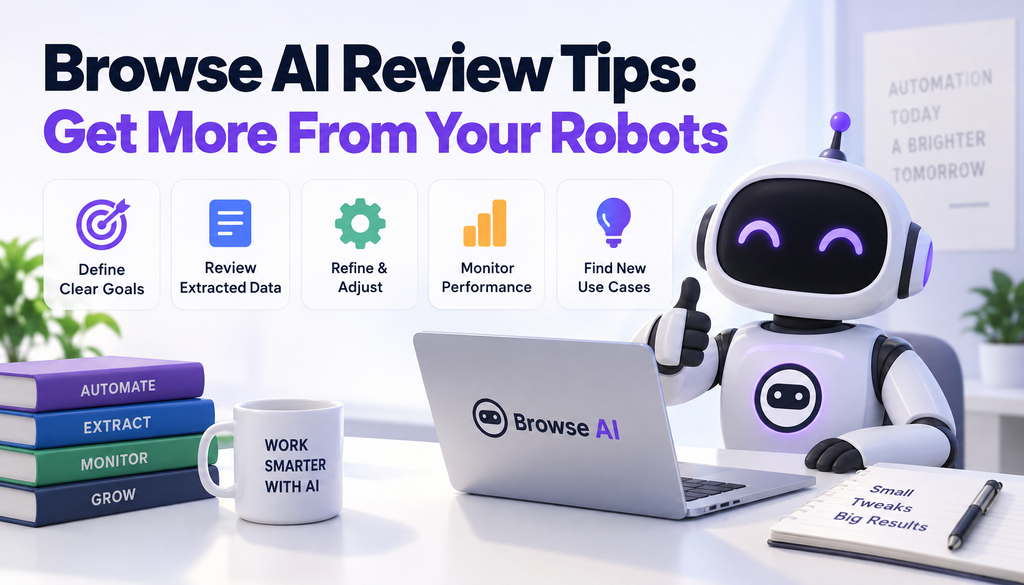
- Start with one small robot. Prove the concept before you scale.
- Schedule wisely. Daily or weekly runs are usually enough and they protect your credits.
- Use prebuilt robots first. They are faster than building from scratch.
- Connect Google Sheets on day one. You will see results immediately.
- Check your data after website updates. A quick test run prevents silent errors.
- Name your robots clearly. Labels like “Competitor A pricing weekly” save confusion later.
- Use alerts, not constant checking. Let the robot tell you when something changes.
Want Your Store To Actually Convert?
Strategy is step one — execution is what moves revenue. Tasknestly builds and optimizes ecommerce stores that convert.
Get Ecommerce Services →Browse AI Review: Final Checklist Before You Buy
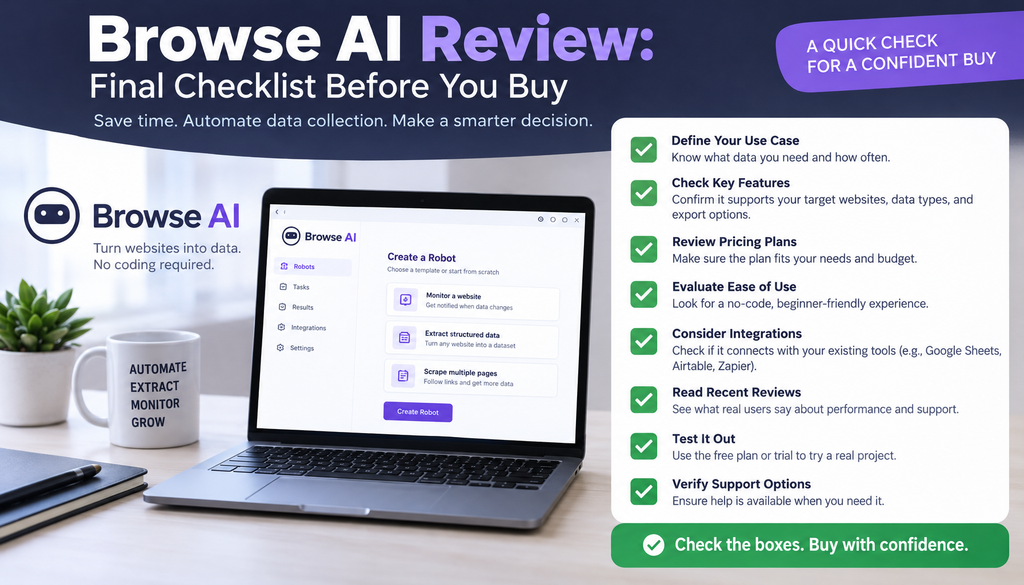
Before you pay for any plan, run through this short checklist. It turns the whole Browse AI review into a practical decision.
- Is your data public and allowed? Confirm that scraping the target pages is acceptable.
- Do you need it repeatedly? Recurring tasks are where Browse AI saves the most time.
- Can you estimate your credits? Remember that 1,000 rows is about 100 credits.
- Have you tested a robot on the free plan? A successful test is the best proof.
- Do you have a place for the data? Set up Google Sheets or Airtable first.
- Do you need teammates? If yes, compare user limits across plans.
If you answered yes to most of these questions, the Browse AI review verdict below should feel like a confirmation rather than a surprise.
Want Your Store To Actually Convert?
Strategy is step one — execution is what moves revenue. Tasknestly builds and optimizes ecommerce stores that convert.
Get Ecommerce Services →Browse AI Review Verdict: Is It Worth It?
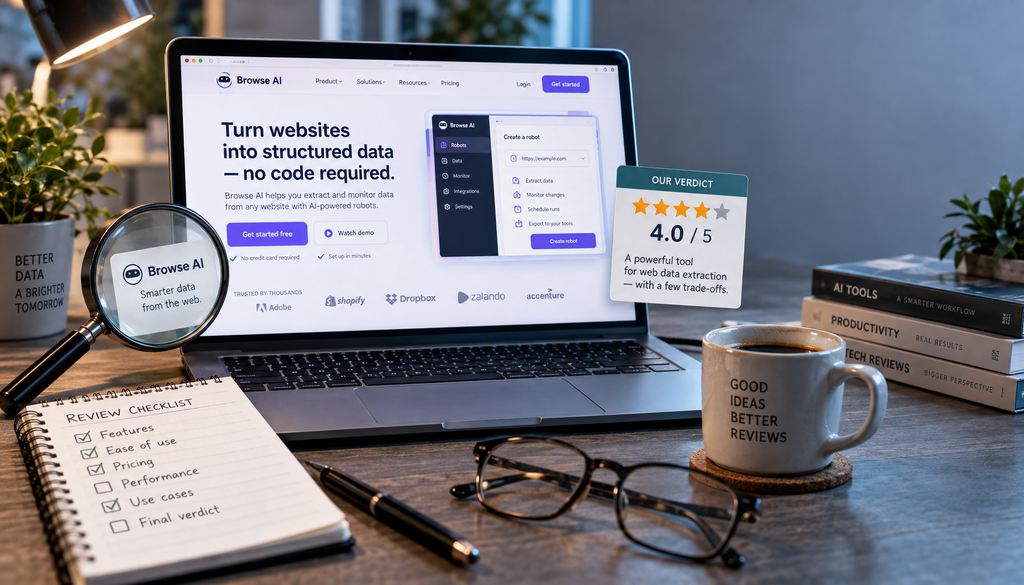
So, is it worth the money? After going through the features, the pricing and the limits, this Browse AI review reaches a clear conclusion. For non-technical marketers, store owners and researchers, Browse AI is one of the easiest and most practical ways to turn websites into usable data.
It is not the cheapest option at very high volume, and it will not beat custom code on difficult targets. But for most small teams, the time saved is worth far more than the subscription.
Our rating: 4 out of 5.
The smartest next step is to start with the free plan, build one robot for a real task and see the results yourself. If it saves you even one afternoon of copy-pasting, you already have your answer.
Other users agree on the basics. On G2, reviewers most often praise how easy Browse AI is to use and how helpful its support team is.
Want Your Store To Actually Convert?
Strategy is step one — execution is what moves revenue. Tasknestly builds and optimizes ecommerce stores that convert.
Get Ecommerce Services →Browse AI Review FAQ
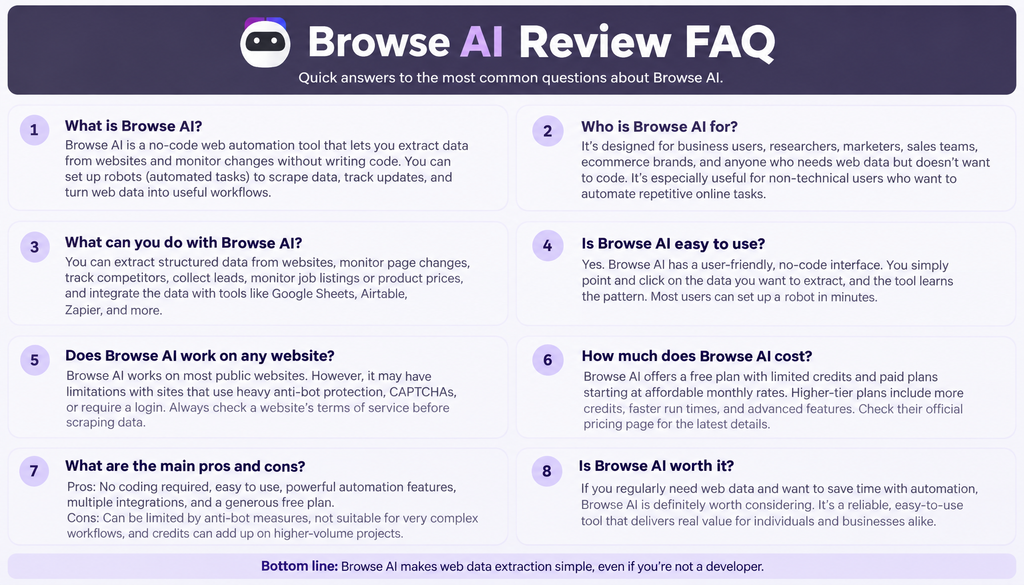
Is Browse AI free?
Yes, Browse AI has a free plan with two websites and unlimited robots. Paid plans add more websites, users and credits.
Is Browse AI worth it in 2026?
For most no-code users who need repeat data, yes. This Browse AI review rates it highly for ease of use, with credits being the main thing to watch.
Do I need coding skills to use Browse AI?
No. You train robots by clicking on the data you want. There is also an API for developers who want more control, and this Browse AI review rates the learning curve as very gentle.
How much does Browse AI cost?
Paid plans start at $19 per month billed annually, or $48 per month if you pay monthly. Professional starts at $69 per month billed annually. The pricing table in this Browse AI review has the full breakdown.
How do credits work in Browse AI?
One credit covers about 10 rows of extracted data or one screenshot. Some websites cost more credits per run, so it helps to test a robot before scheduling it.
Is web scraping with Browse AI legal?
Scraping public data is generally allowed in many places, but rules vary. Always check each website’s terms and privacy laws, and avoid collecting personal data without a lawful reason.
What are the best Browse AI alternatives?
Octoparse, ParseHub, Apify, Bardeen and Instant Data Scraper are the most common alternatives, depending on your budget and technical skills.
Can Browse AI send data to Google Sheets?
Yes. Google Sheets, Airtable, Zapier, Make, webhooks and Amazon S3 are all supported.
Is Browse AI good for beginners?
Yes. The visual setup and prebuilt robots make it one of the friendlier tools in its category, which is why it scores well in this Browse AI review.
Is this Browse AI review sponsored?
This Browse AI review contains affiliate links, which means we may earn a commission if you buy through them. Our rating and opinions are based on the product’s features, pricing and limits, not on the commission.
How accurate is the data Browse AI collects?
Accuracy depends on how well the robot is trained and whether the website changes. Test every robot before scheduling it, and spot-check the results from time to time.
What is the best way to try Browse AI?
Start with the free plan, build one robot for a real task and watch how many credits it uses. That small test gives you a better answer than any Browse AI review can.
Where can I read more than this Browse AI review?
The official Browse AI help center and pricing page are the best places to confirm current limits and features.
Want Your Store To Actually Convert?
Strategy is step one — execution is what moves revenue. Tasknestly builds and optimizes ecommerce stores that convert.
Get Ecommerce Services →Grow With Tasknestly
Subscribe to the Tasknestly newsletter and get the latest tips on websites, SEO, social media, and digital growth.